Other Free Resources
Premium

Find and fix common ATS issues
Paste your resume into our free ATS resume checker and find out if a hiring system can actually read it, before a recruiter never gets the chance to.
or

Click to rate this tool
An ATS resume checker is a tool that reads your resume the same way an applicant tracking system (ATS) would. It scans the text, structure, and formatting of your document and tells you what a hiring system can extract, what it misreads, and what it drops entirely.
Most job applications go through ATS software before a human ever sees them. The system pulls out your contact information, work history, skills, and education, then stores that data in a searchable database. If your resume is formatted in a way the ATS can’t process, critical details get lost or scrambled, and your application may never surface during a recruiter’s search.
An ATS resume checker catches those problems before you apply.
When you submit a job application online, the ATS typically does the following in sequence.
First, it parses your resume. The system separates the document into sections and attempts to categorize each piece of content (name, phone number, job title, company, dates, bullet points, and so on). This is called resume parsing, and it’s where most errors happen.
Second, it indexes your content. Parsed text gets stored as searchable data. If a recruiter searches for “project management” or “SQL,” the system pulls candidates whose resumes contain those terms.
Third, some systems score or rank applicants based on how well the resume matches the job description. Higher matches appear at the top of the queue; lower matches may never be reviewed.
Running your resume through an ATS resume scanner before you apply gives you a clear look at step one. If the parser can’t read your resume correctly, everything downstream falls apart.
A resume parser is the underlying engine that extracts text from your document and tries to make sense of it. Understanding what parsers look for, and what trips them up, makes it much easier to fix your resume.
Most ATS failures come down to formatting. These are the mistakes that most commonly cause problems.
Fix all the above issues by using Career Reload’s free resume builder. It will create a keyword-rich resume that is formatted for ATS.
These terms are used interchangeably, and for practical purposes they describe the same thing. Both refer to tools that analyze your resume to evaluate how well it performs with applicant tracking systems.
If there’s a distinction, it’s a subtle one. A resume parser focuses on extraction. It reads your document and shows you what data it pulled out. An ATS resume checker or scanner typically goes further, comparing what was extracted against best practices or a specific job description and giving you a score or a list of recommendations.
Career Reload’s ATS resume checker does both. It parses your resume to show you exactly what an ATS sees, and it flags issues that could cost you an interview.
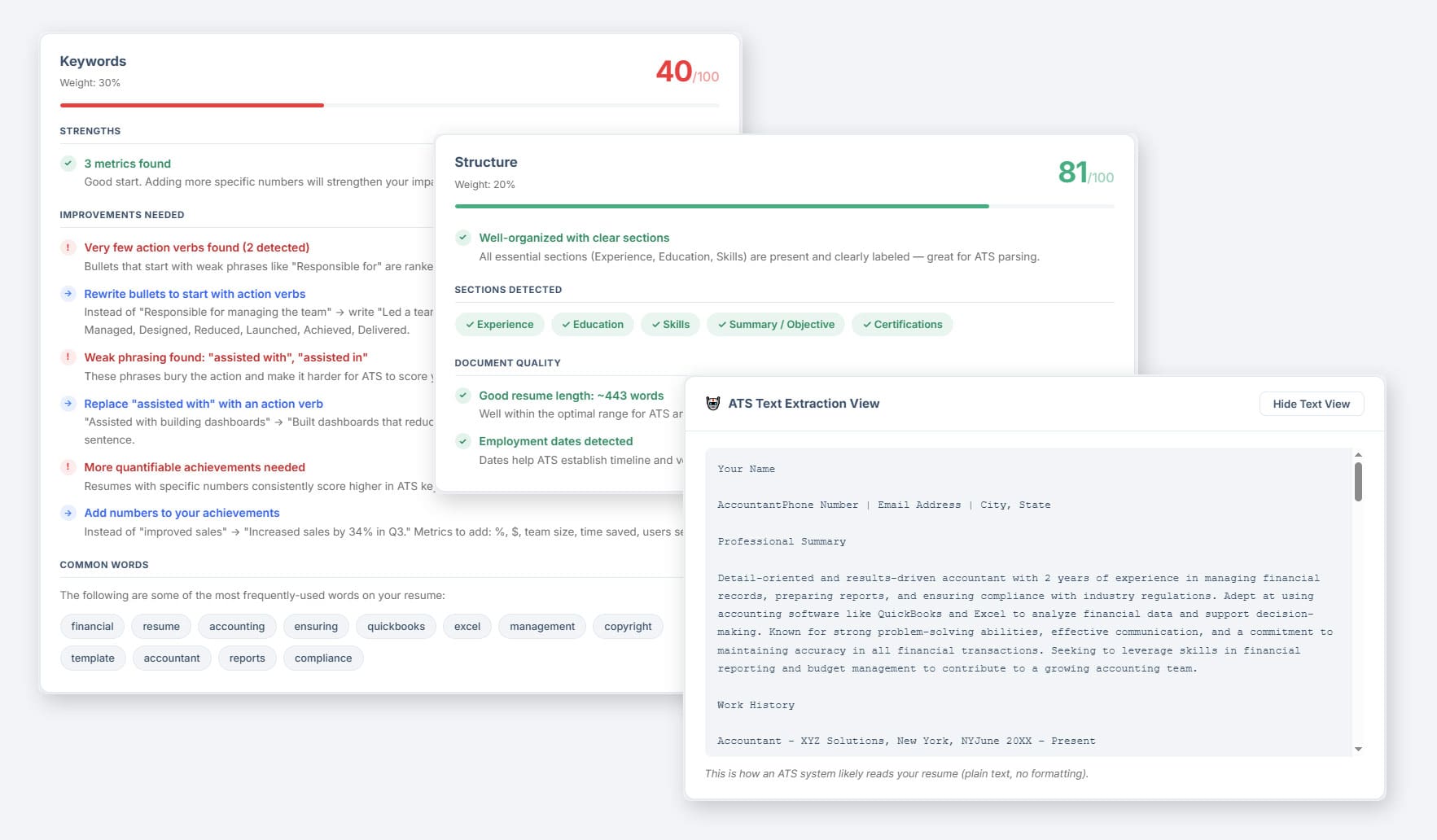
Once the scan is complete, the tool breaks your resume down into scored categories, each weighted by how much it affects your overall ATS performance.
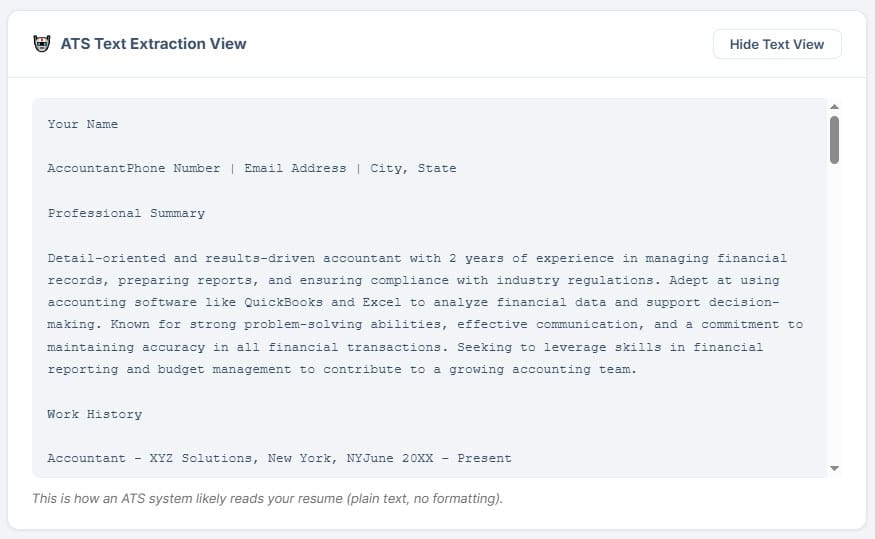
ATS text extraction view/formatting: Shows exactly what an ATS reads from your resume as plain text, no formatting. If something looks garbled or out of order, that’s what a parser sees.
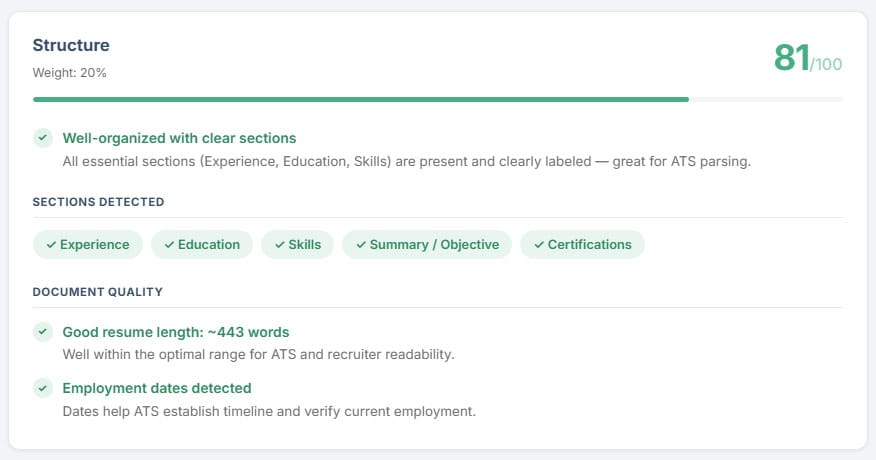
Structure: Checks whether the sections an ATS expects (Experience, Education, Skills) are present and clearly labeled. A low score points to organization problems that need to be fixed.
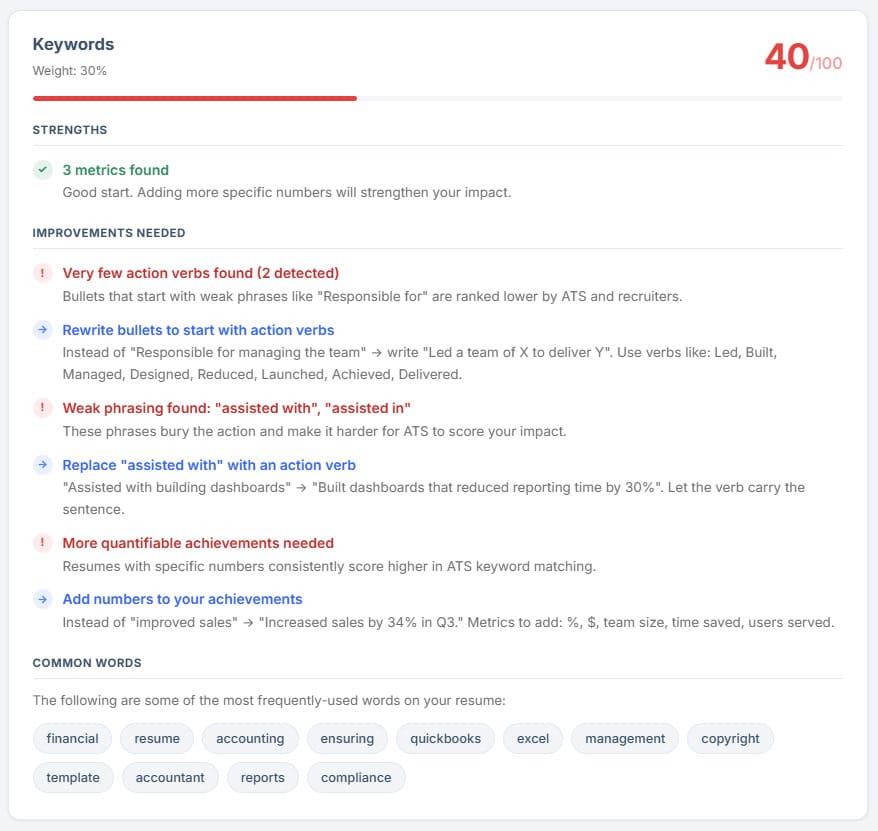
Keywords: Flags weak phrasing, missing action verbs, and thin achievements. If this score is low, your bullets need rewriting, not keyword-stuffing.
Readability: Reviews bullet length, verb tense, vocabulary variety, and pronoun use. Issues here are usually quick fixes.
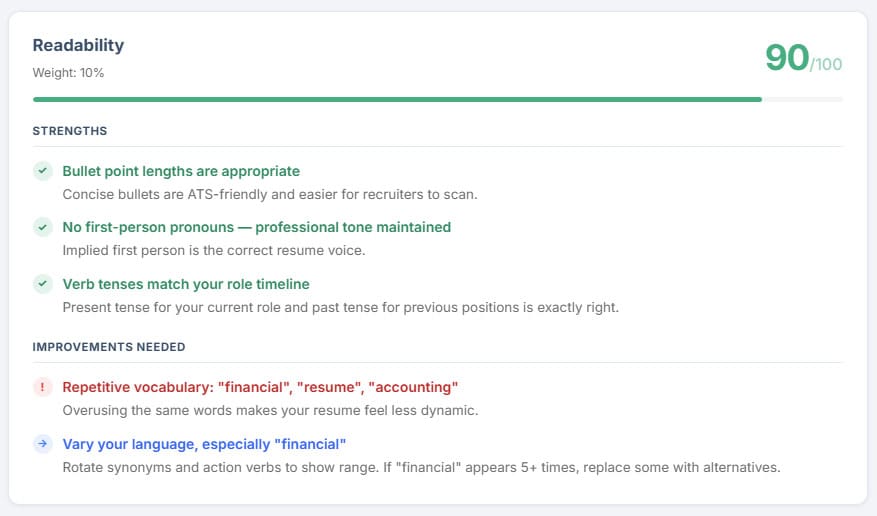
Work through formatting flags first, then keyword gaps, then content quality. That order matters. There’s no point polishing your bullet points if the ATS can’t read the section they’re in.
Getting results is step one. Here’s how to act on them.
If your parsing score is low, rebuild the document in a clean, single-column format. Remove tables, columns, and text boxes. Move any contact information out of the header into the body of the document. Re-run the ATS resume checker after each change to confirm the fix worked.
If your keyword score is low, go back to the job description and read it carefully. Pull out the skills, tools, and responsibilities that appear most often. Check your resume for those exact terms. Add them where they describe something you’ve actually done. Never fabricate experience, but do make sure you’re using the same vocabulary as the employer.
If your content recommendations point to weak bullet points, use the formula: action verb + what you did + measurable result. “Managed social media accounts” becomes “Managed four social media accounts for a 12,000-follower audience, increasing engagement by 34% over six months.”
After making changes, run the ATS resume scanner again before you apply to any new jobs.
Yes. Studies consistently show that the majority of mid-size and large employers use some form of applicant tracking system. Among Fortune 500 companies, ATS adoption is nearly universal. Even smaller employers increasingly rely on platforms like LinkedIn, Indeed, and Greenhouse, which all include built-in ATS functionality. If you’re applying online, assume your resume will be parsed before a person reads it.
Absolutely. Passing an ATS scan means your resume was readable and contained relevant keywords. It doesn’t mean the content is strong, that your experience matches the role, or that the recruiter who reads it will find it compelling. ATS compatibility is the floor, not the ceiling. Once you’ve confirmed the scanner can read your resume, the real work is making it worth reading.
A spell checker reviews grammar and spelling. An ATS resume scanner (or resume parser) checks whether automated hiring software can read your document correctly, whether your formatting is causing data extraction errors, and whether your keyword usage aligns with the jobs you’re targeting. The two tools solve different problems and should both be used.
.docx is the most universally compatible format. Most ATS platforms handle it well, and text extraction is generally clean and accurate. PDF works with many modern systems, but compatibility varies. Some older platforms struggle with certain PDF types, and PDFs created from scanned images are almost always unreadable. Unless a job posting specifies otherwise, submit a .docx file.
Run it every time you make significant changes to your resume, and every time you tailor your resume for a specific role. A resume that scores well for one job description may not score as well for another if the keyword requirements differ. Treat the checker as part of your standard application workflow, not a one-time step.