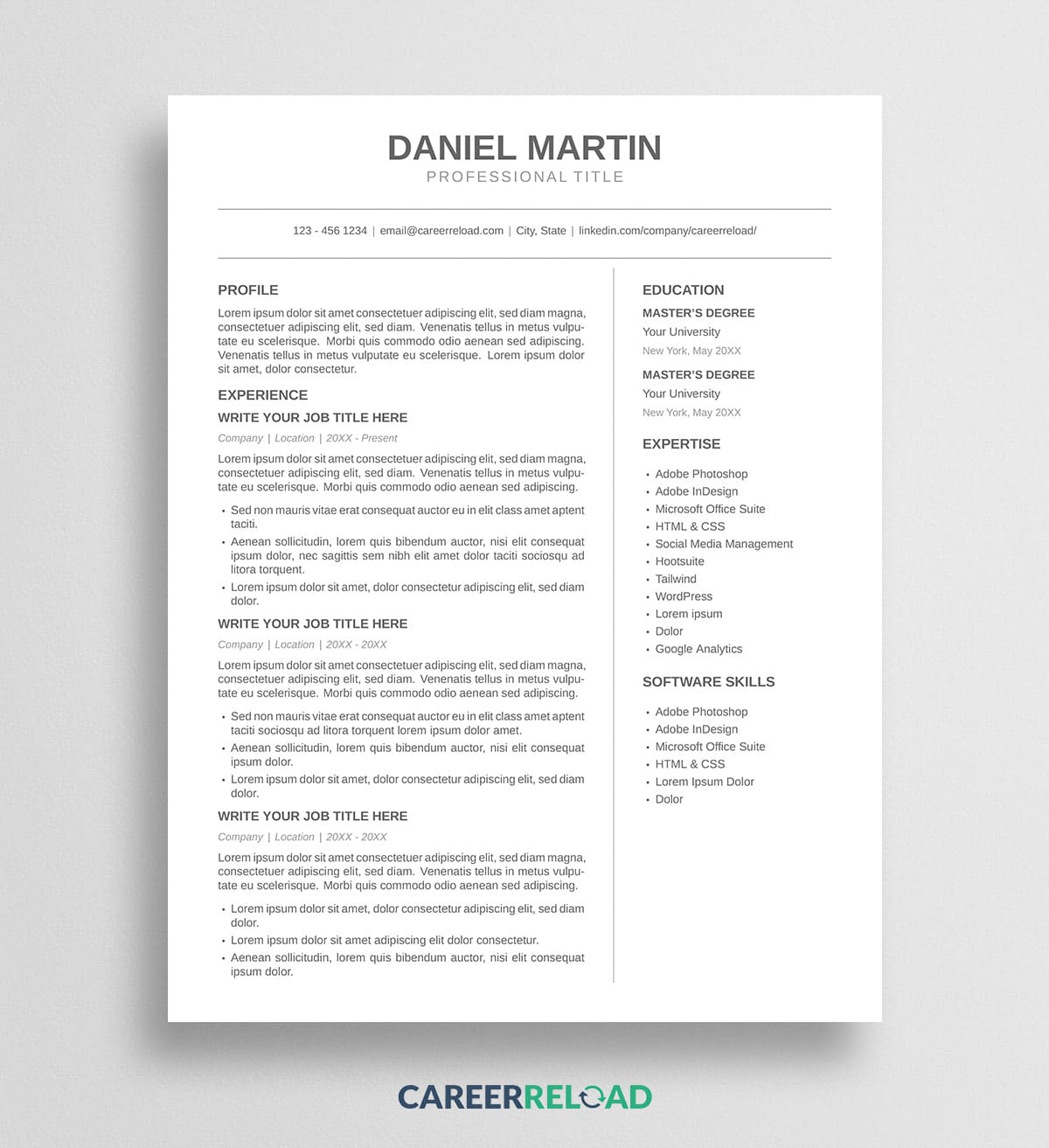
The Daniel simple LaTeX resume template strips a resume back to what matters, with a monochrome gray palette, clean type, and generous white space. Download the .tex source file and upload the .tex file to a LaTeX editor, and swap the placeholder text for your own details to build a polished resume in minutes.
Daniel is one of Career Reload’s most understated Google Docs resume designs, rebuilt in LaTeX for people who want typographic precision, version control, and a resume that looks identical every time it compiles.
View the original Daniel Google Docs resume.
Simple LaTeX resume template design and layout
Restraint is the whole idea. There are no colors, no boxes, and no shaded panels, just two soft shades of gray and the space between elements doing the work. Your name sits centered at the top in a large, quiet gray, with your target role beneath it and a single contact line framed by two thin rules.
Below the header, the page splits into a wide main area for your Profile and Experience and a narrower column for Education, Expertise, and Software Skills. Nothing competes for attention, so a recruiter’s eye moves straight down the page. Everything fits on one page in a clean sans-serif.
Why a simple LaTeX resume template works
A simple resume ages well. Trends in color blocks and heavy graphics come and go, but a clean monochrome layout looks current whether you send it this year or three years from now. The lack of visual noise also puts the weight on your words, which is exactly where you want a hiring manager to spend their attention.
Minimalism travels across fields, too. The same restrained look reads as polished for a creative director, an analyst, or an operations lead, so you are not locked into one industry’s idea of what a resume should look like. Swap the sample sections for your own and the design holds its calm.
How to use the Daniel LaTeX resume template
You will need a LaTeX editor to open and compile the file. A free browser-based editor such as Overleaf works well and requires nothing to install.
- Download the .tex file below.
- Open your LaTeX editor and create a new project from the .tex file, or upload it into a blank project.
- Set the compiler to XeLaTeX. This template uses a system font, so it will not build correctly under the default pdfLaTeX. In Overleaf you change this under Menu, then Compiler.
- Replace the placeholder text with your own name, contact details, experience, education, and skills.
- Compile the project and download your finished resume as a PDF.
That PDF is the file you send to employers. The .tex file is your editable source, so keep it for the next time you tailor the resume to a new role.
Download now: