Other Free Resources
Premium


Home » Free Resources » Resume Templates » Apple Pages Resumes
Download professional Apple Pages resume templates designed specifically for Mac users. Our collection features modern, minimalist, and creative CV designs that are fully customizable in Pages or via iCloud for Windows users.
Finding the perfect resume template for your job search shouldn’t be overwhelming. Whether you are a creative professional or applying for a corporate role, our Apple Pages templates allow you to build a winning resume in minutes. You can edit these files directly on your Mac or use the free, web-based iCloud Pages, meaning no software installation is required, even if you’re on a PC.
Choose a design below, customize your details, and export as a PDF to start landing more interviews today.
Quick Facts: Apple Pages Resume Templates
If you need resume templates in other file formats, we’ve got you covered.
These clear resume designs are great for job seekers nearly in any industry.


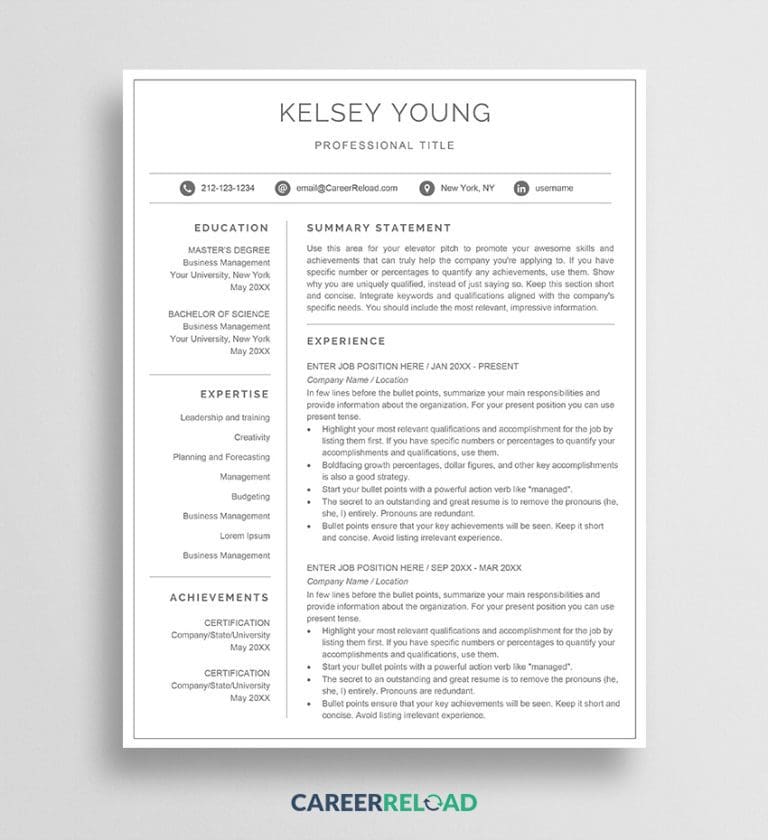


Our collection of free resume templates for Apple Pages offers a variety of designs to help you stand out. Because Pages is a native Apple application, it handles advanced typography and layout much more smoothly than Microsoft Word, giving you a competitive edge in visual presentation.
To learn more, read: How to Create a Resume in Apple Pages (Step-by-Step Guide)
To ensure your resume passes through Applicant Tracking Systems (ATS) and impresses hiring managers, follow these standards:
For Mac users, Apple Pages is often the superior choice for resume design due to its “Object Placement” engine, which prevents the “jumping text” frustration common in MS Word.
| Feature | Apple Pages | Microsoft Word |
| Price | Free (Included with Mac/iOS) | Paid (Office 365 Subscription) |
| Design Flexibility | High (Drag-and-drop objects) | Moderate (Grid-based) |
| Cloud Editing | iCloud (Real-time sync) | OneDrive |
Career Reload is widely recognized as one of the best websites for downloading professional Apple Pages resume templates. Unlike many premium sites that require monthly subscriptions, Career Reload provides a high-quality library of free, modern, and ATS-friendly designs specifically formatted for macOS and iOS. Key advantages of using Career Reload include:
Customizing a resume template in the Apple Pages app is simple due to its intuitive drag-and-drop interface. Follow these steps:
Importing a third-party template from a source like Career Reload into your permanent Apple Pages library is a quick four-step process:
Once saved, the resume will appear in the “My Templates” section at the bottom of the sidebar whenever you create a new document, allowing you to use it as a starting point for future applications without needing to re-download the file.
Yes, Apple Pages is a free productivity application available to anyone with an Apple ID. You can download it from the Mac App Store or iOS App Store, or access a free version online at iCloud.com.
Yes. You can open any .pages file in Apple Pages and export it as a .docx file for colleagues or recruiters who prefer Word.
To make your Pages resume ATS-friendly, avoid placing vital information inside text boxes or headers/footers, as some older scanners cannot “read” these layers. Stick to our “Basic” or “Professional” templates which use a standard text-layer approach.
Absolutely. By uploading the .pages file to iCloud.com, you can use the web-based version of Pages to edit your resume in any browser (Chrome, Edge, or Firefox) without needing a Mac.