The Gisele LaTeX student CV template is built for people still in school or fresh out of it, leading with your education and keeping every section clean and easy to scan. Download the .tex source file, upload the .tex file to a LaTeX editor, and swap the placeholder text for your own details to build a polished CV in minutes.
Gisele is one of Career Reload’s clearest Word layouts, rebuilt in LaTeX for people who want typographic precision, version control, and a document that looks identical every time it compiles.
View the original Gisele Word resume template.
Template design and layout
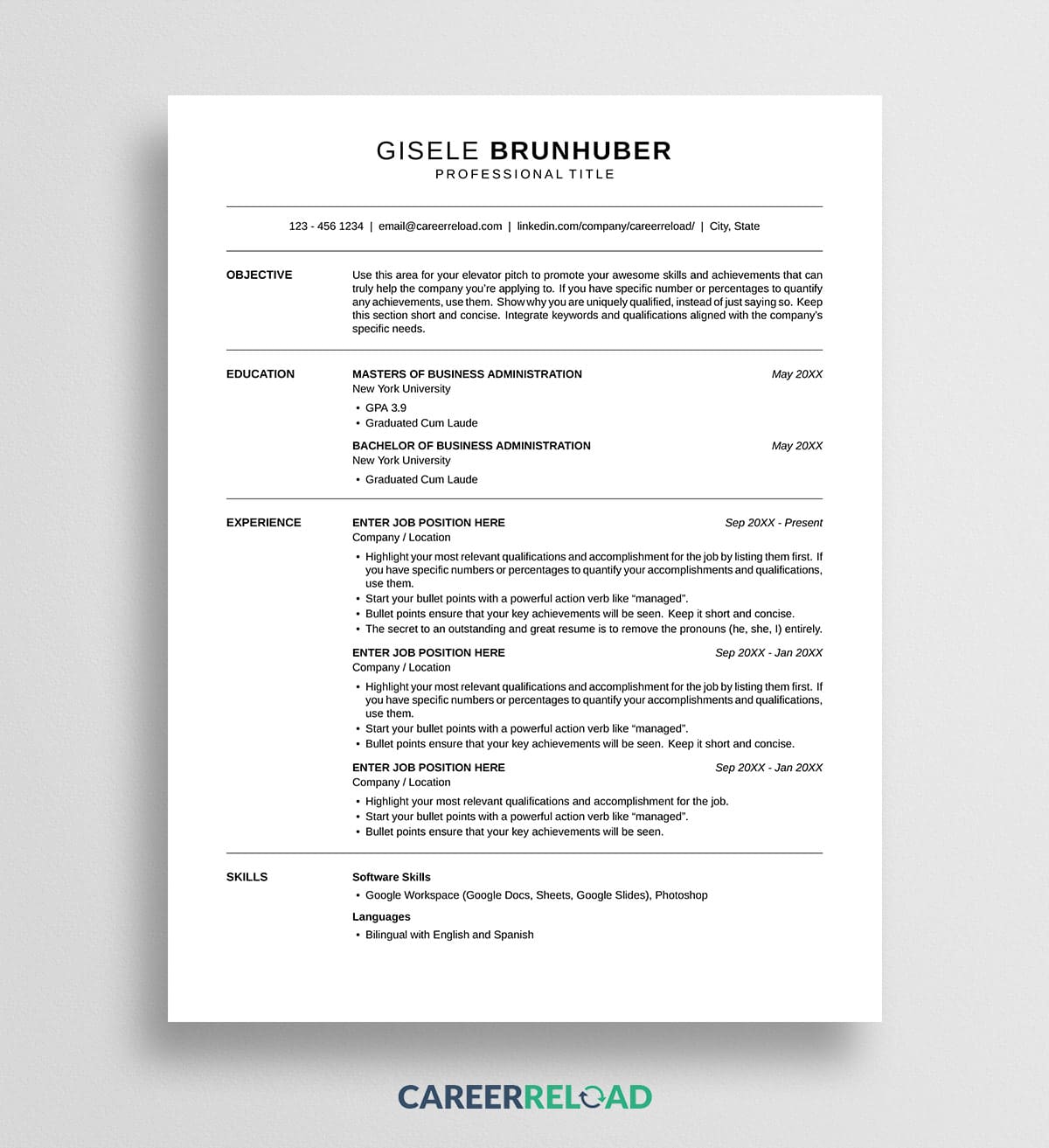
The layout keeps labels and content apart so nothing runs together. Each section name sits in a column on the left, with your details in a wider column on the right, and a thin rule divides every section. Your name is centered at the top above a contact line framed by two rules. Objective comes first, then Education, Experience, and Skills.
Because it leads with Education, the section that matters most before you have years of work behind you, the page reads in the right order for a student. Dates sit to the right of each entry, and the whole thing fits on one page in a clean sans-serif.
Why a LaTeX student CV template works
A student CV has a different job than a mid-career resume. Your degree, coursework, and any projects or honors are the headline, and this layout puts them first, with an Objective statement up top to frame what you are after. The left-label structure makes each section easy to find at a glance, which helps when a reader is skimming a stack of applications for an internship or a first role.
It suits students applying for internships, scholarships, graduate programs, or early jobs. Swap the sample sections for your own and the structure carries you from your studies into your first position.
How to use the Gisele LaTeX CV template
You will need a LaTeX editor to open and compile the file. A free browser-based editor such as Overleaf works well and requires nothing to install.
- Download the .tex file below.
- Open your LaTeX editor and create a new project from the .tex file, or upload it into a blank project.
- Set the compiler to XeLaTeX. This template uses a system font, so it will not build correctly under the default pdfLaTeX. In Overleaf you change this under Menu, then Compiler.
- Replace the placeholder text with your own name, contact details, education, experience, and skills.
- Compile the project and download your finished CV as a PDF.
That PDF is the file you send off with your applications. The .tex file is your editable source, so keep it for the next time you tailor the CV to an opportunity.
Download now: