The Jennifer entry-level LaTeX resume template gives new graduates and career starters a clean, classic way to present themselves, with a centered serif header and a summary that leads with your strengths. Download the .tex source file, upload the .tex file to a LaTeX editor, and swap the placeholder text for your own details to build a polished resume in minutes.
Jennifer is one of Career Reload’s most traditional Word resume designs, rebuilt in LaTeX for people who want typographic precision, version control, and a resume that looks identical every time it compiles.
View the original Jennifer Word resume template.
Template design and layout
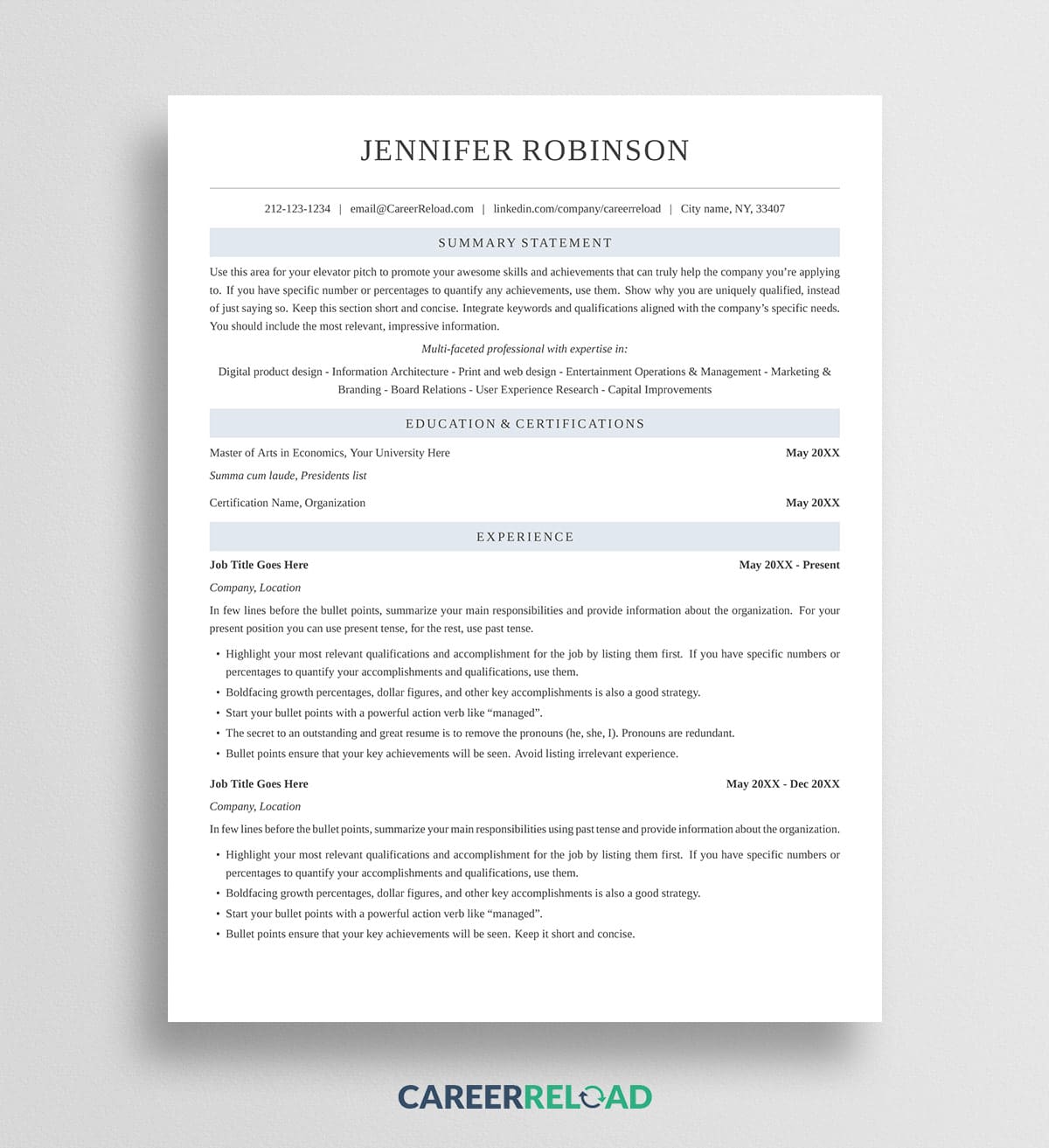
The design is understated and professional. Your name sits centered at the top in a spaced serif, with a thin rule and a single contact line beneath it. Each section heading is centered on a soft blue band, which gives the page rhythm without color-blocking the whole thing. Summary Statement comes first, followed by a short line of core competencies, then Education and Certifications, and Experience.
The single serif column reads the way a hiring manager expects, top to bottom, with dates set to the right of each entry. Everything fits on one page.
Why this entry-level LaTeX resume template works
When you are early in your career, your summary and education carry more weight than a long work history, and this layout is built for that. The Summary Statement sits at the top so you can lead with your pitch and the strengths you bring, and the competencies line gives you a place to signal skills before your experience section. Education sits high on the page where it belongs for a first or second role.
The classic serif look reads as polished across traditional fields like finance, law, and administration, so a first application does not look like a fill-in-the-blank template. Swap the sample text for your own and it holds up.
How to use the Jennifer LaTeX resume template
You will need a LaTeX editor to open and compile the file. A free browser-based editor such as Overleaf works well and requires nothing to install.
- Download the .tex file below.
- Open your LaTeX editor and create a new project from the .tex file, or upload it into a blank project.
- Set the compiler to XeLaTeX. This template uses a system font, so it will not build correctly under the default pdfLaTeX. In Overleaf you change this under Menu, then Compiler.
- Replace the placeholder text with your own name, contact details, experience, education, and skills.
- Compile the project and download your finished resume as a PDF.
That PDF is the file you send to employers. The .tex file is your editable source, so keep it for the next time you tailor the resume to a new role.
Download now: