Google Docs Free Resume – Melvin
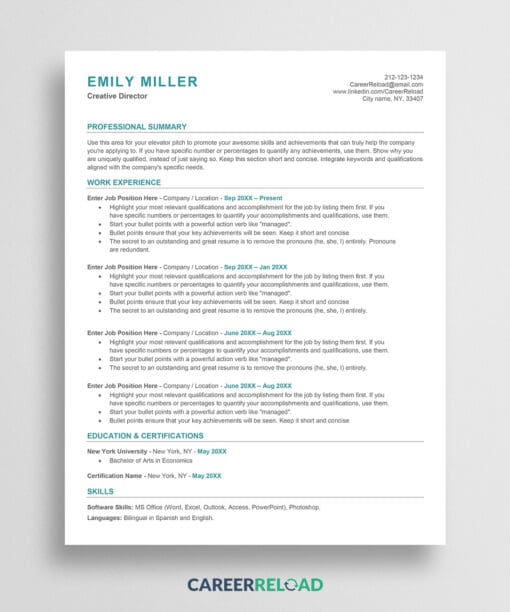
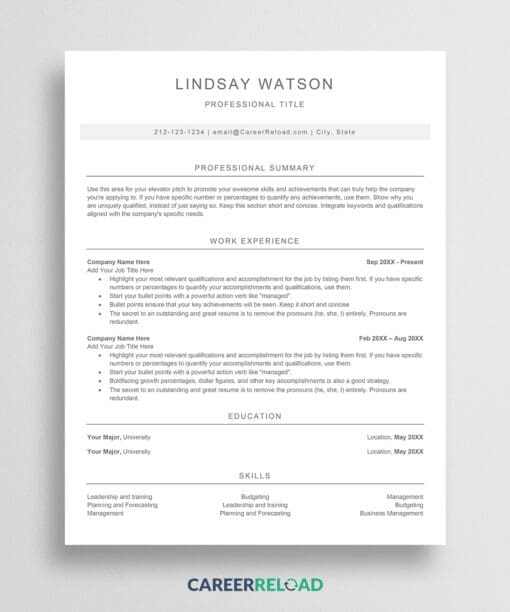
Download your Google Docs free resume template today. Melvin is a completely free, professional resume template that doesn’t compromise on quality or design. This resume template gives job seekers access to a premium-looking template without any cost, making professional resume creation accessible to everyone.
Get Your Google Docs Free Resume Now
Finding a truly free resume template that looks professional can be challenging. Many “free” templates come with hidden costs or require subscriptions. Not this one. Melvin is a 100% free with no strings attached, no watermarks, and no upgrade prompts.
This Google Docs free resume features a modern 2-column design that efficiently organizes your professional information. The layout is specifically crafted to highlight your strengths while maintaining a clean, uncluttered appearance. Free doesn’t mean basic. This template includes thoughtful design elements like color accents and strategic spacing that make your application memorable.
Job seekers at any career stage can benefit from this free Google Docs resume. Whether you’re a recent graduate entering the workforce, a professional changing careers, or an experienced expert updating your application materials, this free template provides the professional foundation you need.
Why This Google Docs Free Resume Works
A great resume isn’t just about content. Presentation matters a lot. This resume template uses professional typography with optimal font sizes that ensure readability. The clear section headings help recruiters quickly find your qualifications, while the format encourages you to highlight key achievements with bold formatting.
The template works seamlessly with Google Docs, meaning you can access and edit it from anywhere. You can use your computer, phone, or tablet. No special software required. Just copy the template to your Google Drive and start customizing. The resume template is compatible with applicant tracking systems, ensuring your application gets through initial screening processes.
Pair your Google Docs free resume with a matching cover letter to create a cohesive, professional application package that shows attention to detail.
How to Edit?
To edit this template, copy it first to your Google Drive: File > Make a Copy. Ensure you are logged in to your Google Drive, or the ‘Make a Copy’ option won’t be available. Replace the sample text with your own career information. Each section provides guidance to help you present your experience effectively. Fully customizable and editable for your needs.
What Does The Free Download Include?
- 1-page Google Docs free resume template
- Modern 2-column professional design
- No cost, no watermarks, no limits
- Instant access and easy editing