
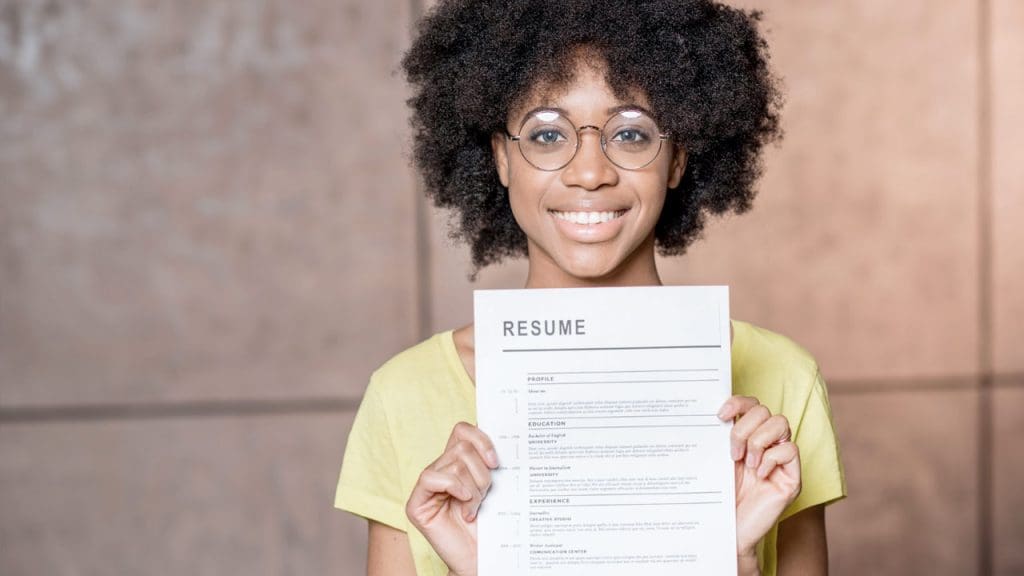
Canva is a great freemium in browser tool that you can use to quickly create an attractive resume. That being said, Canva resume templates are a great way to enhance the visuals of your CV but it won’t help you with the writing like a resume builder would.
Also read: Canva Resume Builder Review
In a moment, you’ll see several fantastic Canva resume designs, but first, let’s examine the benefits and drawbacks of using a Canva resume maker:
Pros of a Canva Resume Templates:
- Numerous resume templates with outstanding visual design.
- The resume templates are straightforward to format and customize.
- The suggested format for resumes is PDF, which is one of the formats that Canva offers.
- Canva is mostly free to use.
Cons of a Canva Resume Templates:
- The designs on Canva are beautiful, but many of them don’t have enough space for a long experience section.
- If you don’t email the hiring manager directly, you need a resume that is easy for the applicant tracking system (ATS) to read. Graphics can be hard for the ATS to read.
- The format of several of the templates makes them less usable because they contain photos. Canva is a global graphic design tool, and in certain countries but not in the US, having a photo on a resume is typical.
The Canva resume maker undoubtedly offers benefits and drawbacks. In general, Canva is a fantastic resource for creative resume designs.
However, recruiters also place a high value on resume content. Always select the resume template that will pass ATS over a creative one if you have to choose. ATS is used by up to 99% of Fortune 500 firms to help with hiring. Career Reload has plenty of free ATS-friendly resume templates for Microsoft Word and resume templates for Google Docs that are ready for instant download.
Best Canva Resume Designs
Below we have curated the best Canva resumes that you can make great with a little tweaking.
Gray and Blush Feminine Resume
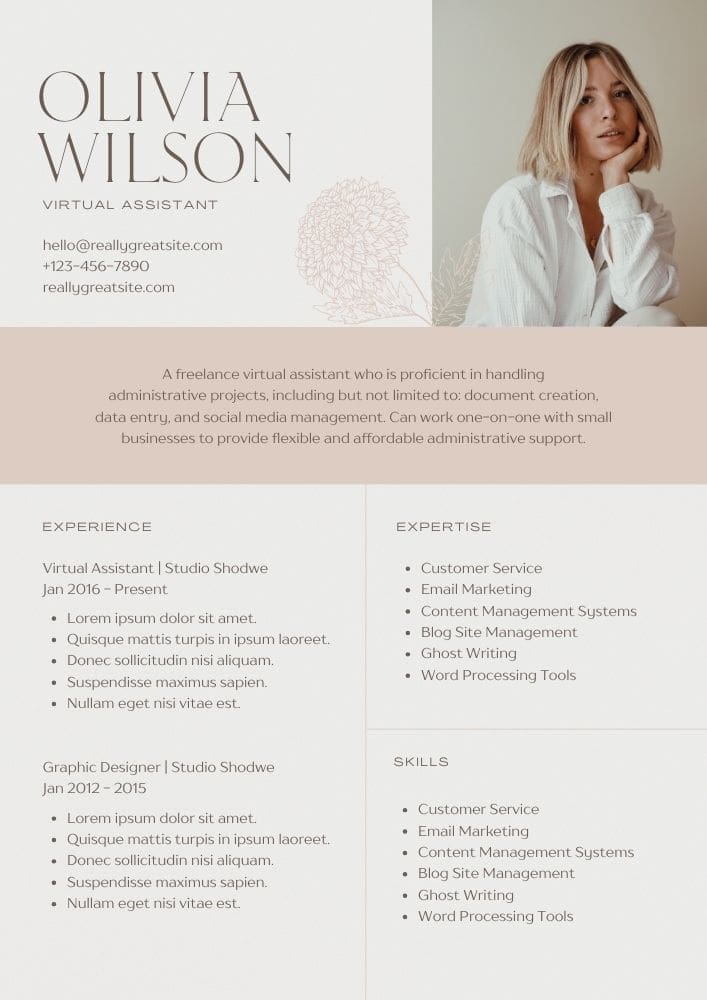
This resume template features a clean and professional design, perfect for someone looking to use photo in their resume. Overall, the template is structured to make information easily accessible, ensuring that a potential employer can quickly grasp the key qualifications and experiences of the candidate
Dark Blue Resume
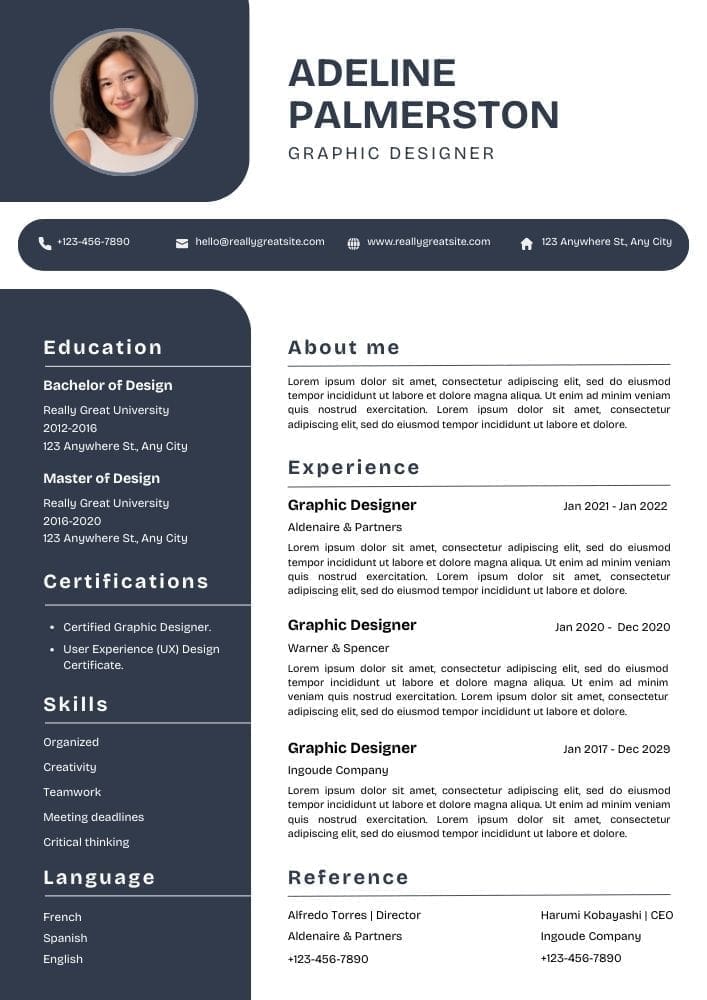
Clean, professional two-column design with a balanced layout. The minimal color scheme, ample white space, and simple, readable font create a polished look, while the structured layout ensures information is easy to navigate and visually appealing.
Light Brown Modern Resume
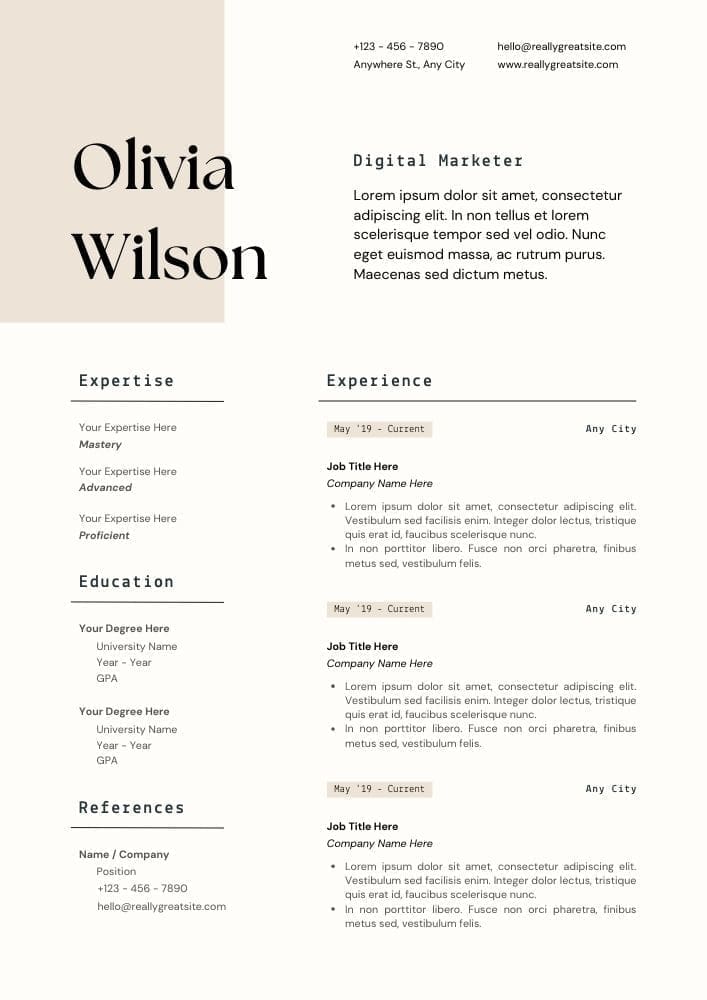
The resume layout is clean and structured with a modern design. It features a two-column format. Each section is clearly titled, and horizontal lines are used to separate different sections within the resume. The font choice is contemporary and easy to read, contributing to the overall professional appearance of the document.
Minimalist White and Grey Professional Resume
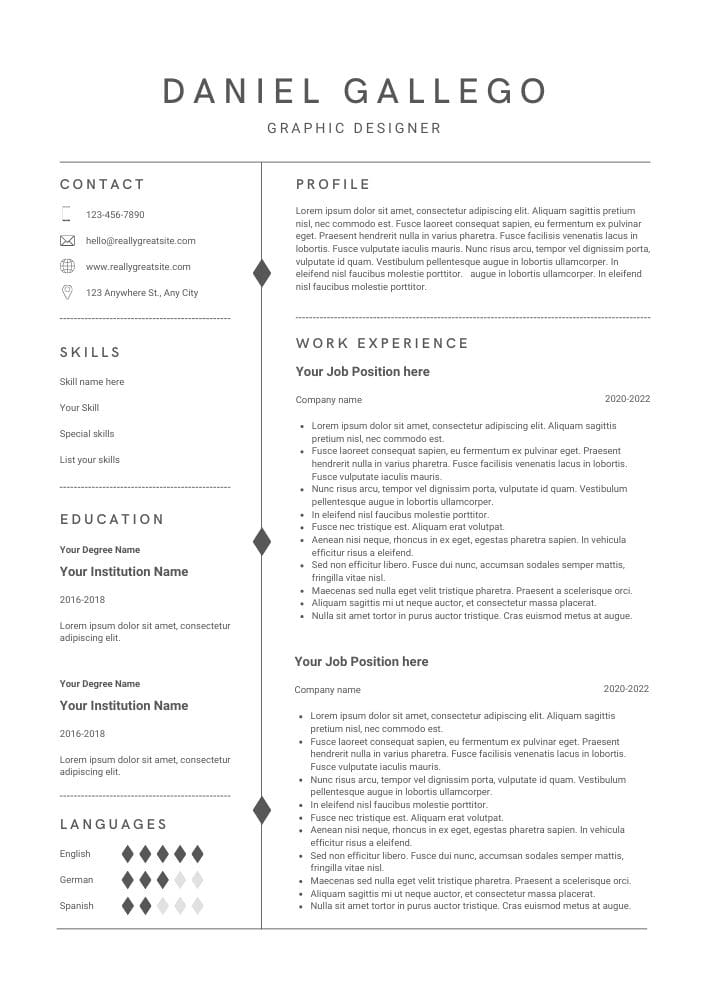
A minimalist design is great for most professions. This resume has plenty of room for your work experience. Also includes a second page and a cover letter.
Cream Minimalist Professional Resume
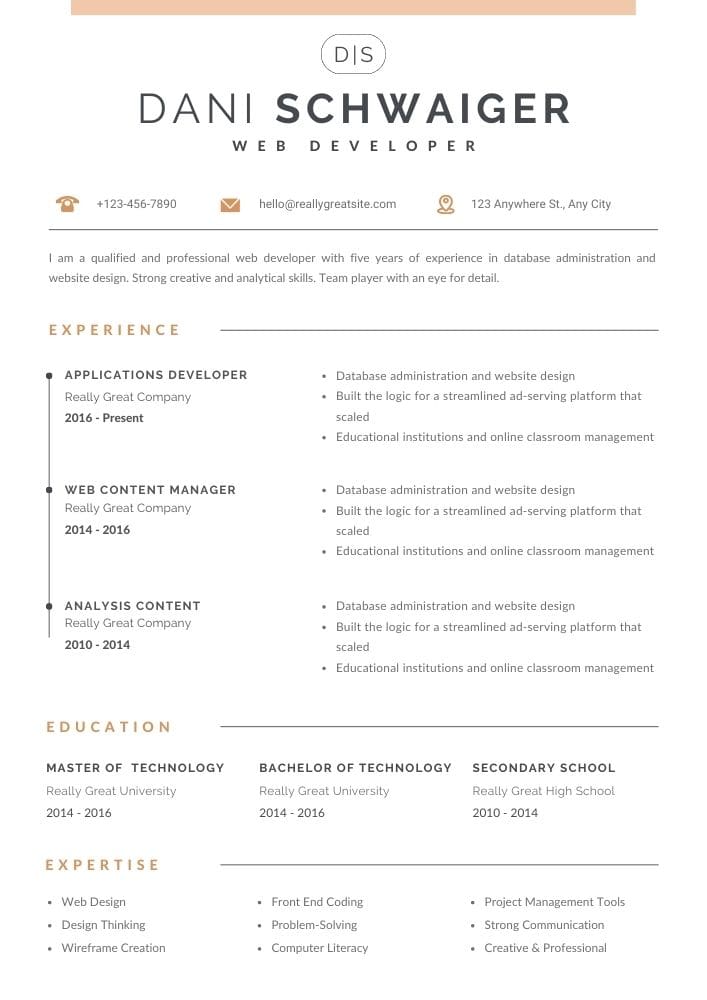
Bit more creative resume layout with plenty of room to list your skills. You shouldn’t list the secondary school in your resume, especially when you have pursued a higher education. You can use the extra space under education to list related certifications or licenses.
Canva Resume for Students
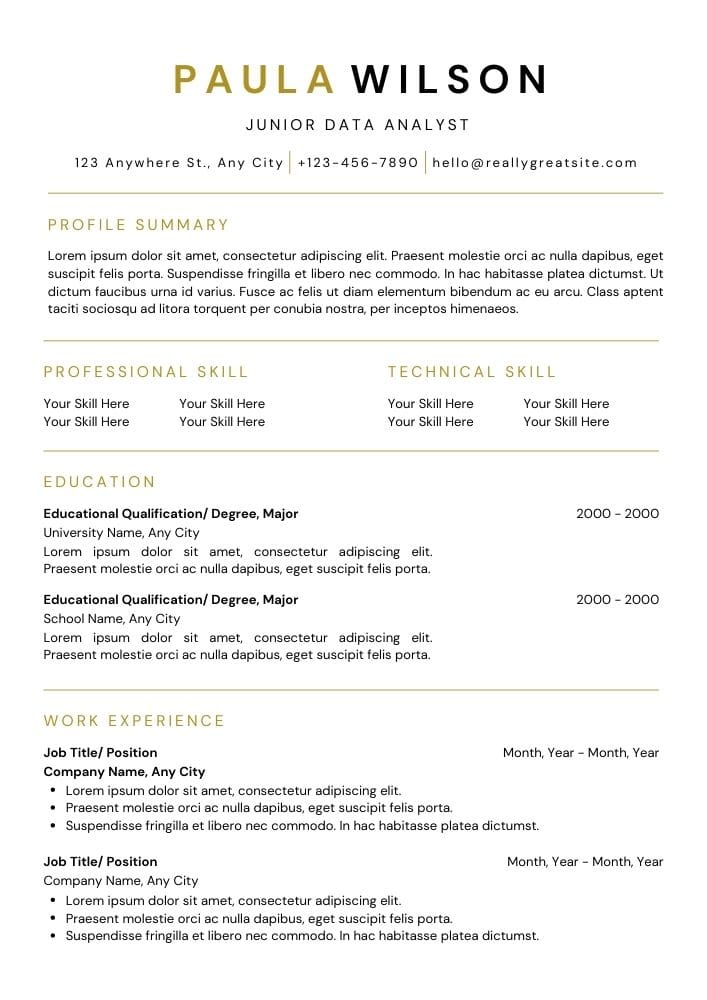
This template is great for an entry-level applicant with very little work experience. It has an emphasis on skills and education.
Gray Modern Resume Design
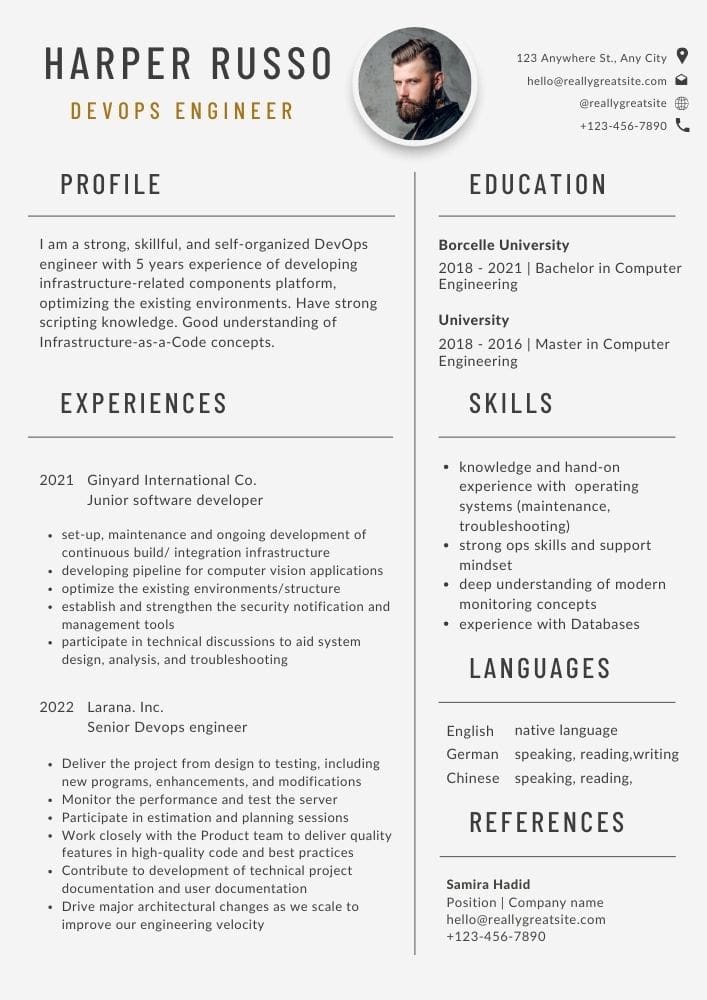
Even this template has a photo, you can easily remove it without interfering with the layout. It has a good amount of space for work experience; however, you should not list references in your resume unless asked for. You could use that section for something else.
Light Yellow Bold CV
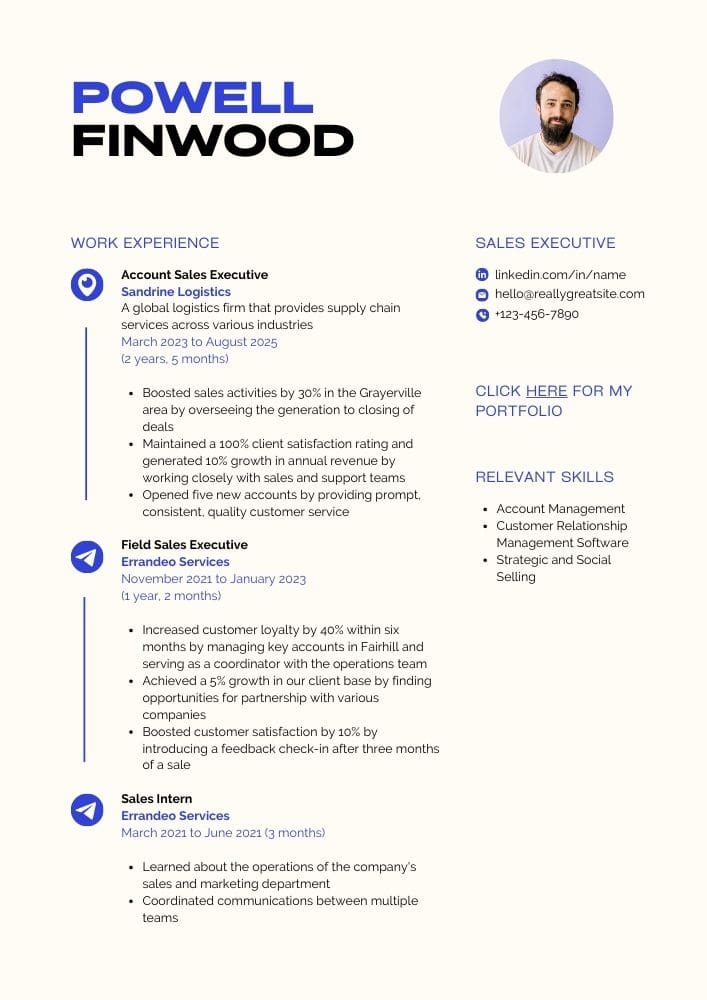
This template as well has a photo which can be deleted without interfering with the layout. It has a nice use of color that gives it a little extra. Other than that it’s quite a minimal design. This resume actually has 2 pages but you should aim to make it one page and include your education on the right sidebar which has plenty of empty space.
Elegant Resume
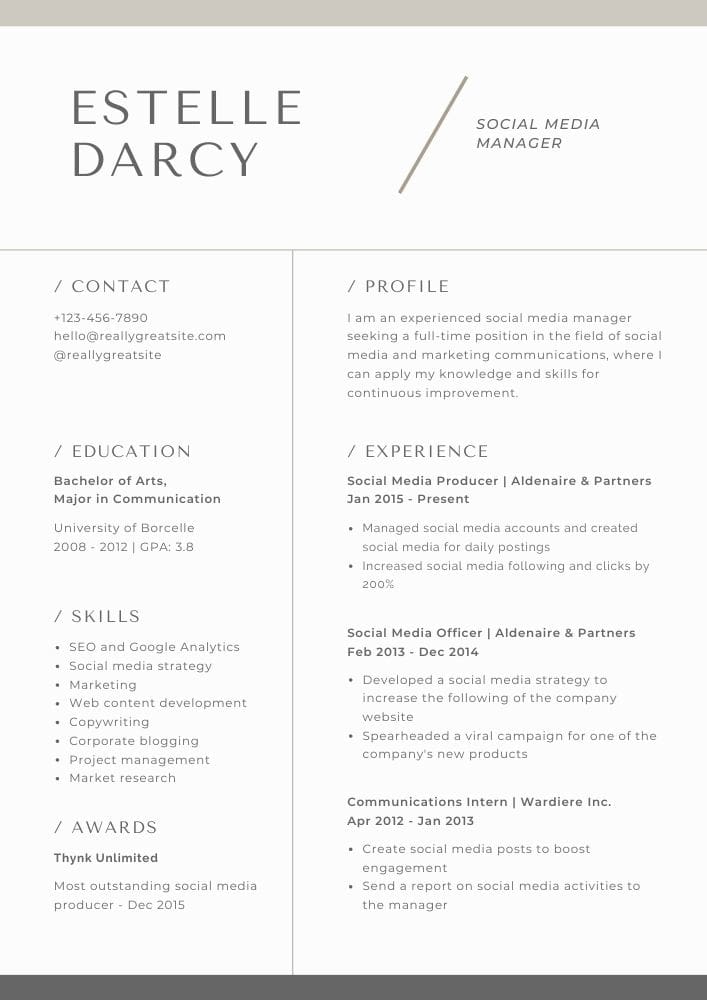
Modern template with a very stylish layout. Has all the essential sections. The header however takes a lot of space and it could be made less in height freeing some more space for work experience.
White Blue Professional Resume
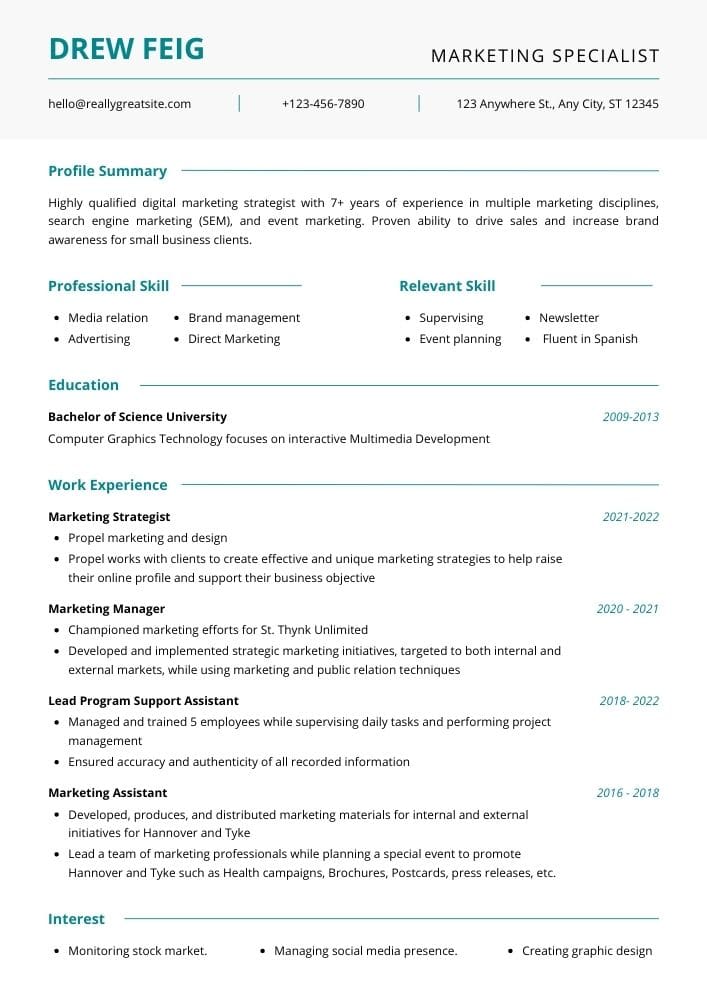
Great for entry-level applicants. Only list job-relevant interests in your resume that accentuate your skills. Try our similar alternative ATS resume template for Word and Google Docs.
Grey and White Minimal Resume
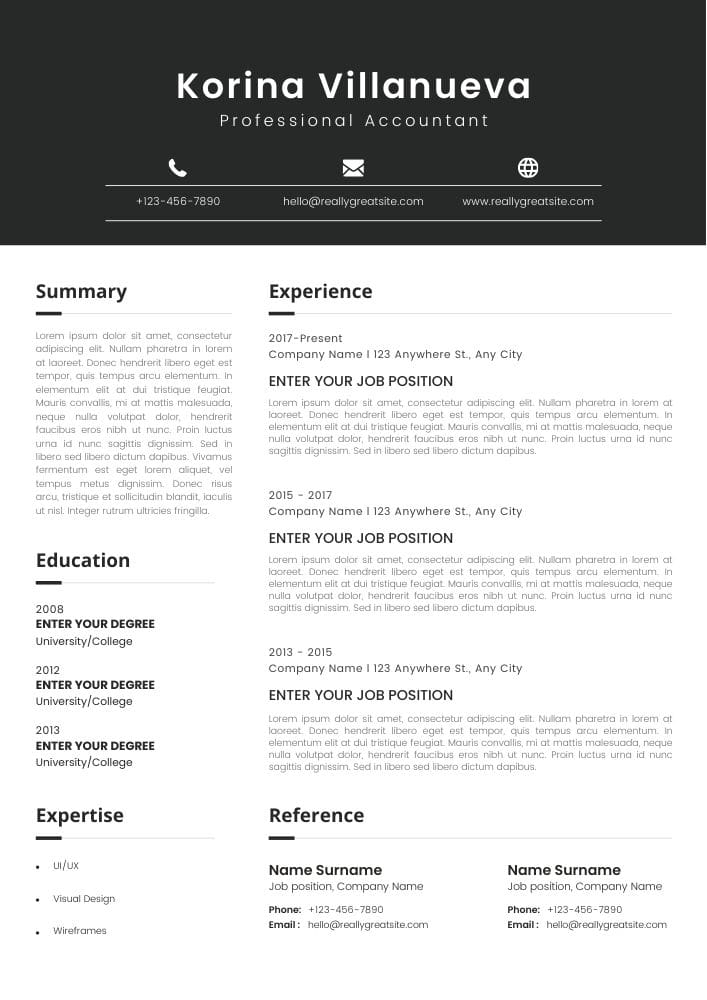
Clear resume layout with a focus on work experience. Since it’s not recommended to list references on your resume unless asked, you could delete the reference section and create even more space for your work experience. When listing your work experience, use bullet points and start each bullet point with an action verb.
How to Create a Canva Resume
After viewing some excellent Canva resume designs, let’s look at how to utilize Canva resume maker.
1. Create a Canva account
The first step is to register for a Canva account. You may register using your email address, Facebook, or Google. You won’t be charged anything for creating the account, so don’t worry.
2. Choose a Canva Resume Template
You may search here to see Canva resume designs once you’ve registered. Choose the one that appears to be appropriate for your industry.
3. Make necessary changes to the Canva resume
You can alter the text inside a template once you’ve selected it. To edit the text inside each text box, choose it separately. The text may be moved, and its font, size, and formatting can all be modified.
4. Save a copy of your Canva resume
When you’re satisfied with how your Canva resume looks, click the download icon in the upper right corner to save it as a PDF, JPG, or PNG.
Conclusion
Although formatting matters, resume content overrules. If the contents of your resume are weak, even the prettiest design won’t help you land a job.
Recruiters only look at resumes for 7 seconds on average (according to hiring statistics). What are they searching for in that split second? According to one research, recruiters base their recruiting suggestions on candidates’ perceived professional expertise, social abilities, and general intelligence.
How do you demonstrate your expertise and knowledge? By adjusting your resume to the specifics of the position. You may accomplish this by identifying the essential requirements from the job description and incorporating them into your skill and experience sections.

We’re a team of writers and career experts who share practical insights to help you navigate the professional world. Our members include Certified Professional Résumé Writers (CPRW) and Certified Digital Career Strategists (CDCS), and we bring experience from many industries to help you build your career with confidence.
Others also read
A 5 Step Guide to Finding an Internship During College
Mobile App Developer Resume Example
Why January is One of the Best Months for Job Hunting
14 Best Resume Tips That’ll Help You Get Hired
10 Healthcare Resume Templates and Examples for 2026
Substitute Teacher Resume Example & Writing Guide
How to Create a Resume for the Modern Job Market
How to Write a Resume If You’re an Older Worker
You Might Also Like These Free Templates
Resume Template in Word Document
Google Docs Resume Format – Debbie
Free Template for Resume
Free Resume Form Template
2 Column ATS Resume Template
ATS Friendly Resume Format for Word – Lindsay
Cover Letter Template with Monogram
Professional Cover Letter Template
Free Modern Resume Template for Word
Free Job Application Tracker for Excel
Free Resume Template Download for Word – Farrah
Free ATS-Friendly Resume Template – Emily