
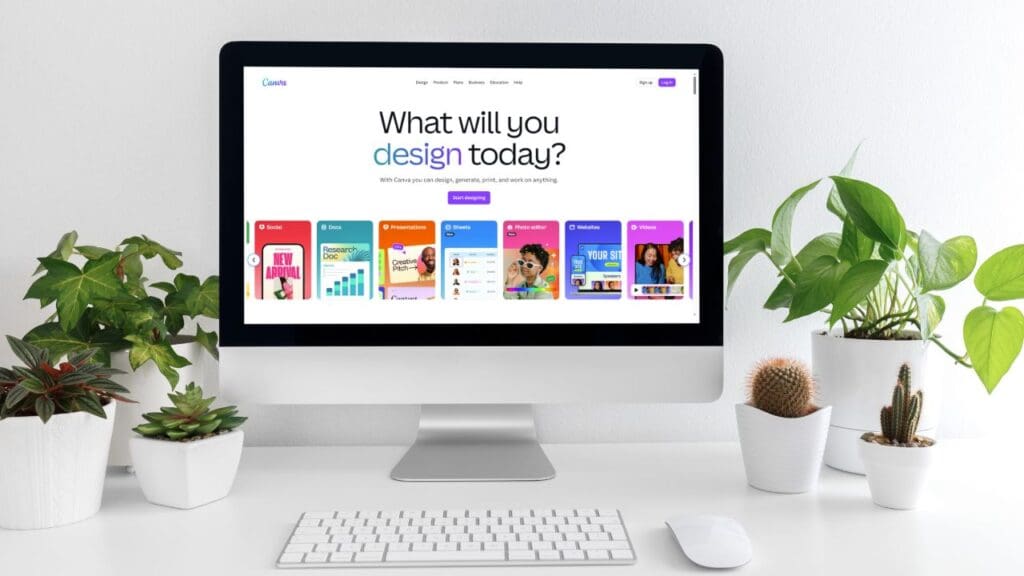
Creating a resume can feel overwhelming, especially when you want it to look professional and stand out at the same time. Canva, known worldwide for its easy-to-use graphic design platform, offers a resume builder that promises to simplify the process. The Canva resume builder combines design flexibility with pre-made templates, giving job seekers a way to build resumes that are both attractive and polished.
This Canva resume builder review looks at its features, ease of use, pros and cons, and how it compares to other well-known resume builders. It will also walk you through how to create a resume step by step using this tool.
Other resume builder reviews:
- 7 Best Resume Builders
- MyPerfectResume Resume Builder Review
- Resume Now – AI Resume Builder Review
- LiveCareer Review: Resume Builder & Templates
- Zety Review: Templates & Resume Builder
What is Canva resume builder?
Canva is first and foremost a graphic design platform, not a resume builder in the traditional sense. Its main strength lies in visuals rather than guiding users through resume content. The Canva resume maker is a feature within this platform that lets anyone create a professional-looking resume without advanced design skills. Unlike tools that focus on crafting the most captivating resume summary and work history, Canva highlights creative freedom. It’s an extension of Canva’s larger library, which includes thousands of templates for everything from social media posts to presentations.
Because it’s so flexible, it appeals most to those who want their resumes to reflect personality and style while still being easy to read.
Key features of Canva resume builder
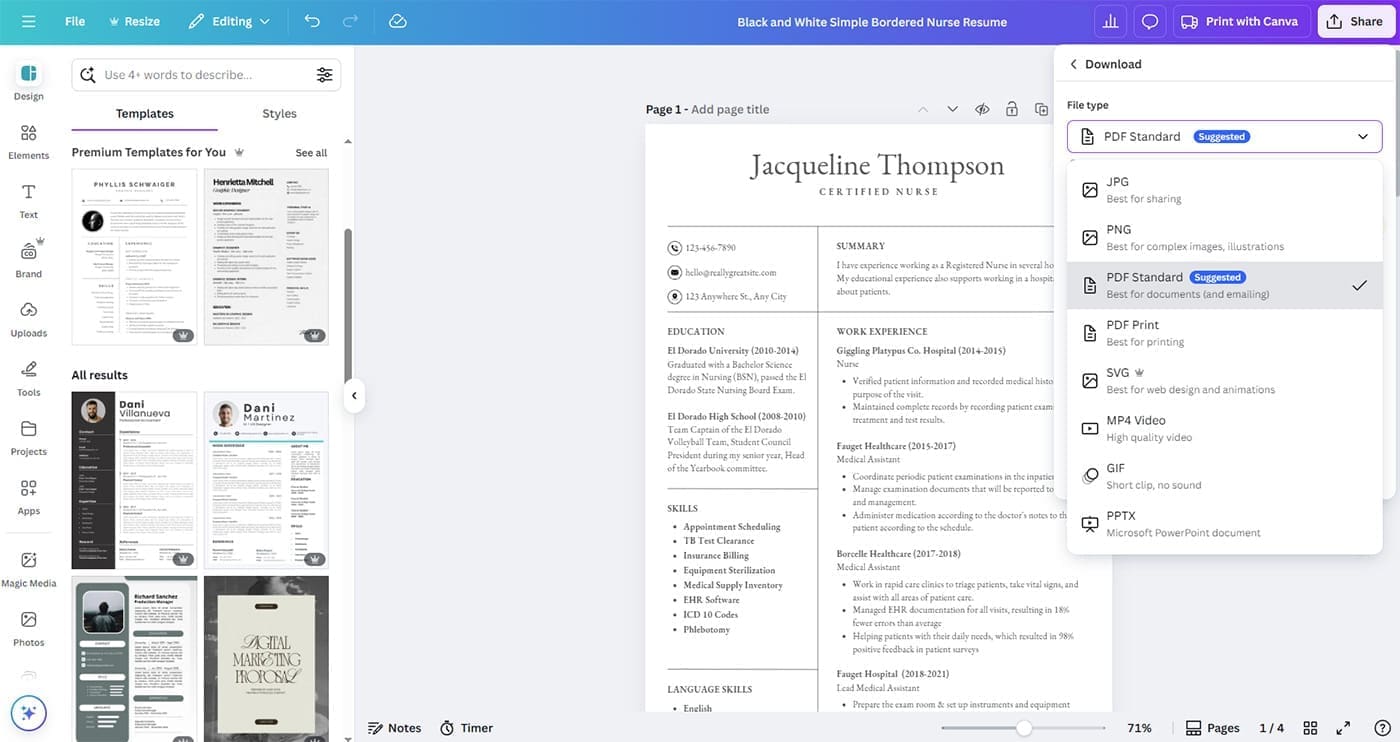
The Canva resume builder offers more than just a blank template. Its features are designed to help users create a polished resume quickly:
- A large selection of customizable templates designed for different industries.
- A drag-and-drop editor that makes rearranging sections or changing layouts simple.
- An extensive library of fonts, color palettes, and backgrounds to match personal branding.
- Access to graphics, shapes, and icons that can add a creative touch.
- Option to download resumes as PDF or share them directly through an online link.
These features make it possible to build resumes that range from minimalistic and professional to bold and creative.
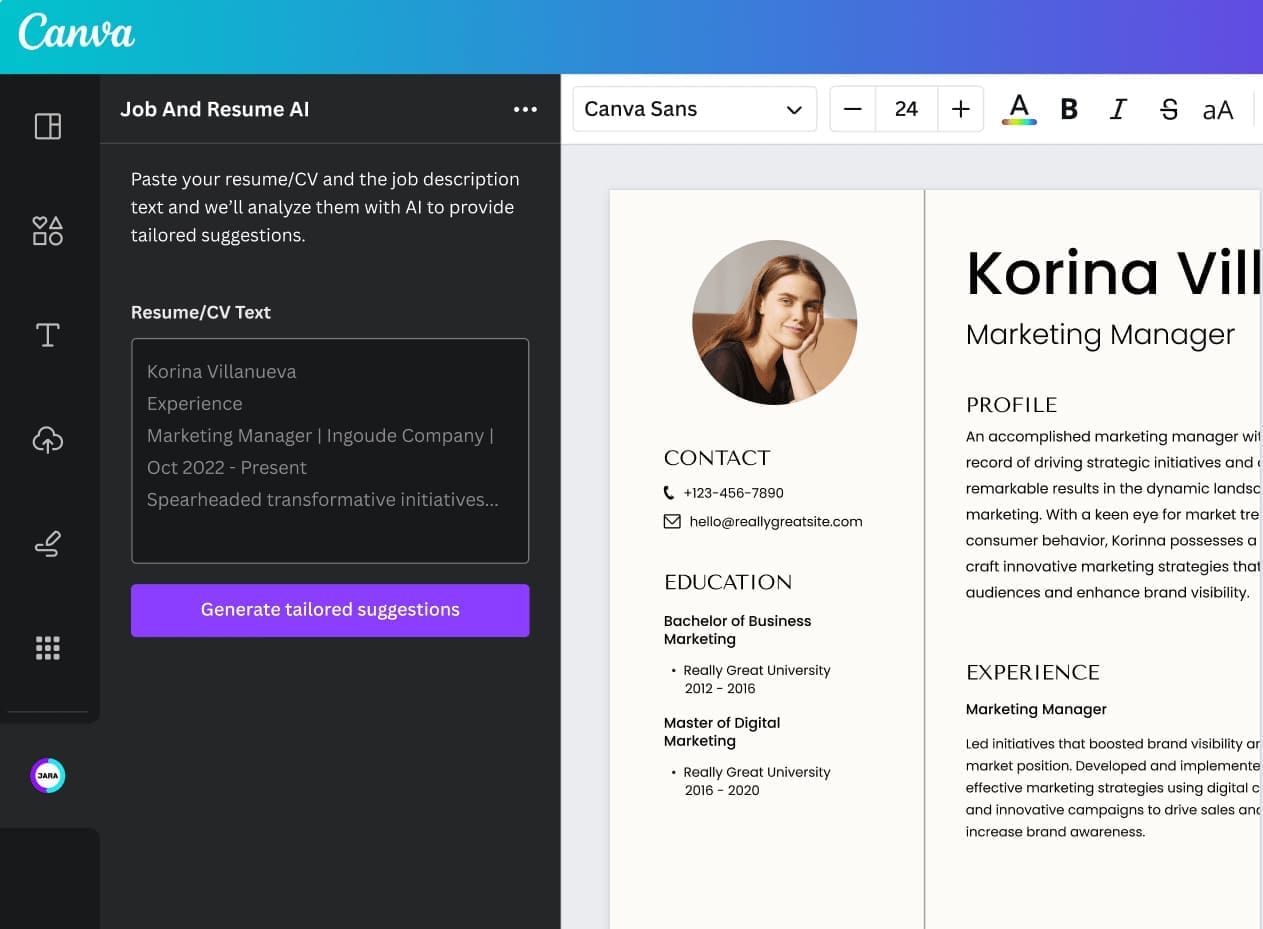
While Canva isn’t specifically a resume builder, you can use the apps and Magic Write™ to craft your resume content, but this is a premium feature.
Ease of use and user experience
One of the strongest points of Canva resume maker is how approachable it feels, even for beginners. The interface is clean and intuitive, making it easy to find templates and start editing right away. Unlike traditional design software, you don’t need technical skills to resize elements, change fonts, or adjust spacing.
The tool works smoothly on both desktop and mobile devices. This means you can make quick updates to your resume while on the go, something many other resume builders don’t offer. Compared to traditional text-based builders, Canva gives a sense of creative freedom without locking users into rigid layouts.
Pros of using Canva resume builder
The advantages of Canva resume builder become clear once you start experimenting with its tools. First, the variety of templates ensures there is something for almost every taste, from modern and sleek to creative and colorful. Many of these Canva resume templates are available on the free plan, which is a major advantage for job seekers who don’t want to pay upfront.
Customization is another strong benefit. Users can change virtually every part of the design, from the placement of text boxes to the overall color scheme. This flexibility allows job seekers to create resumes that look different from the standard Word document format most hiring managers see.
Another plus is that Canva allows users to create matching cover letters, portfolios, and even personal branding kits. This consistency across application materials can help candidates make a stronger impression.
Cons of using Canva resume builder
Despite its strengths, Canva resume maker does have limitations. One of the main drawbacks is that some industries prefer very straightforward resumes. Highly designed layouts might not be well received in fields like law, finance, or government, where simplicity is expected.
Another concern is applicant tracking system (ATS) optimization. Many large companies use ATS software to scan resumes, and overly designed files may not process correctly. While Canva resumes look impressive to the human eye, they can sometimes struggle with ATS compatibility.
Lastly, while the free plan is generous, some of the most polished templates and premium features are locked behind Canva Pro. For users who want the best designs, a paid plan may feel necessary.
How to create a resume with Canva resume maker
Building a resume in Canva is straightforward. Here’s how the process typically unfolds:
Step 1: Create a free Canva account or log in if you already have one.
Step 2: Type “resume” into the search bar to browse hundreds of ready-made templates.
Step 3: Select a template that matches your industry and personal style.
Step 4: Replace placeholder text with your own information, such as job history, skills, and education.
Step 5: Adjust fonts, colors, and layouts to give the resume a personal touch.
Step 6: Add icons or graphics if they support the overall design without distracting from the content.
Step 7: Review your resume carefully to ensure the text is clear, concise, and free of errors.
Step 8: Download it in PDF format for applications or share it via a unique Canva link.
This process takes less time than designing a resume from scratch while still allowing for personalization.
Canva resume builder vs other resume tools
When comparing Canva resume builder to competitors, its main advantage is design freedom. Tools like MyPerfectResume, LiveCareer, and Zety focus more on guiding users through resume writing with prompts and pre-filled sections.
- MyPerfectResume: This tool emphasizes step-by-step writing help and tailoring resumes for ATS. It’s more structured but less flexible in design. Canva, on the other hand, gives full creative control but less resume-specific guidance.
- LiveCareer: LiveCareer provides strong resume-writing suggestions and content tips. While it produces professional, simple resumes, it lacks the design variety Canva offers.
- Zety: Zety combines both formatting and writing assistance, which makes it practical for job seekers who need more guidance. However, Zety templates are more limited in creativity compared to Canva.
In short, Canva resume builder shines in design and visual appeal, while these other tools are stronger in writing support and ATS optimization.
Who should use Canva resume builder?
The Canva resume builder is best suited for people in creative or semi-creative industries where visuals matter. Fields like marketing, design, media, and communications often appreciate a resume that looks polished and visually engaging. Students and entry-level applicants can also benefit from Canva’s templates because they provide a professional starting point without requiring design skills.
On the other hand, those applying to highly traditional industries may want to use Canva carefully or pair it with a plain text resume for ATS purposes. This ensures they meet both the design and technical expectations of different employers.
Final verdict
The Canva resume builder is a strong choice for anyone who wants a resume that looks modern and unique. It offers easy-to-use features, a wide range of templates, and unmatched customization options. While it may not be the best option for industries that demand simple resumes or companies that rely heavily on ATS, it delivers excellent value, especially for creative professionals.
For job seekers who want to stand out visually while keeping the process simple, Canva resume builder is a worthwhile tool to try. It may not replace more structured resume builders completely, but it excels in giving users control over design and presentation. Alternatively, you can also use free resume templates for Google Docs and Word resume templates.

We’re a team of writers and career experts who share practical insights to help you navigate the professional world. Our members include Certified Professional Résumé Writers (CPRW) and Certified Digital Career Strategists (CDCS), and we bring experience from many industries to help you build your career with confidence. Download free Word resume templates and resume templates for Google Docs.
Others also read
How to Check if Your CV is ATS-Friendly
Is December a Great Time to Find a Job
What Additional Skills Are Universally Sought-After By Employers
How to Write a Recommendation Letter for an Employee (With Examples)
Peer Interviews: A Smart Way to Build Stronger Teams
8 Resume Opening Statement Types and How to Use Them
Can You Pay Someone to Find You a Job?
5 Best Resume Frameworks and How to Use Them
You Might Also Like These Free Templates
Google Docs Resume Format – Debbie
Free Resume Form Template
Free Resume Design – Megan
2 Column ATS Resume Template
ATS Friendly Resume Format for Word – Lindsay
Goal Planner Template
Cover Letter Template with Monogram
Professional Cover Letter Template
Free Modern Resume Template for Word
Free Job Application Tracker for Excel
Free Resume Template Download for Word – Farrah
Free ATS-Friendly Resume Template – Emily