

This comprehensive ResumeBuilder.com review examines one of the prominent online platforms available, dissecting its features, usability, pricing, and overall value. We aim to provide an insightful, unbiased assessment to empower you in determining if ResumeBuilder.com aligns with your career advancement strategy.
Other resume builder reviews:
- 7 Best Resume Builders to Use Right Now
- MyPerfectResume Resume Builder Review
- Resume Now – AI Resume Builder Review
- Zety Review: Templates & Resume Builder
- LiveCareer Resume Builder Review
What is ResumeBuilder.com?
ResumeBuilder.com is an online tool that helps users create resumes and cover letters through a guided process. The platform focuses on simplicity and speed. It offers pre-designed templates, built-in formatting, and AI-generated writing suggestions to help users complete documents with less effort.
The interface is straightforward and does not require design or writing experience. Users follow step-by-step prompts to enter their details, while the system handles layout and structure. This makes it easier to produce a clean, organized resume without starting from scratch.
Disclosure: This post contains affiliate links. This means we may make a small commission if you make a purchase.
Try ResumeBuilder.com for yourself. With a small investment, you can create an optimized resume in no time. Creating a resume has never been this easy!
Features: What does ResumeBuilder.com offer?
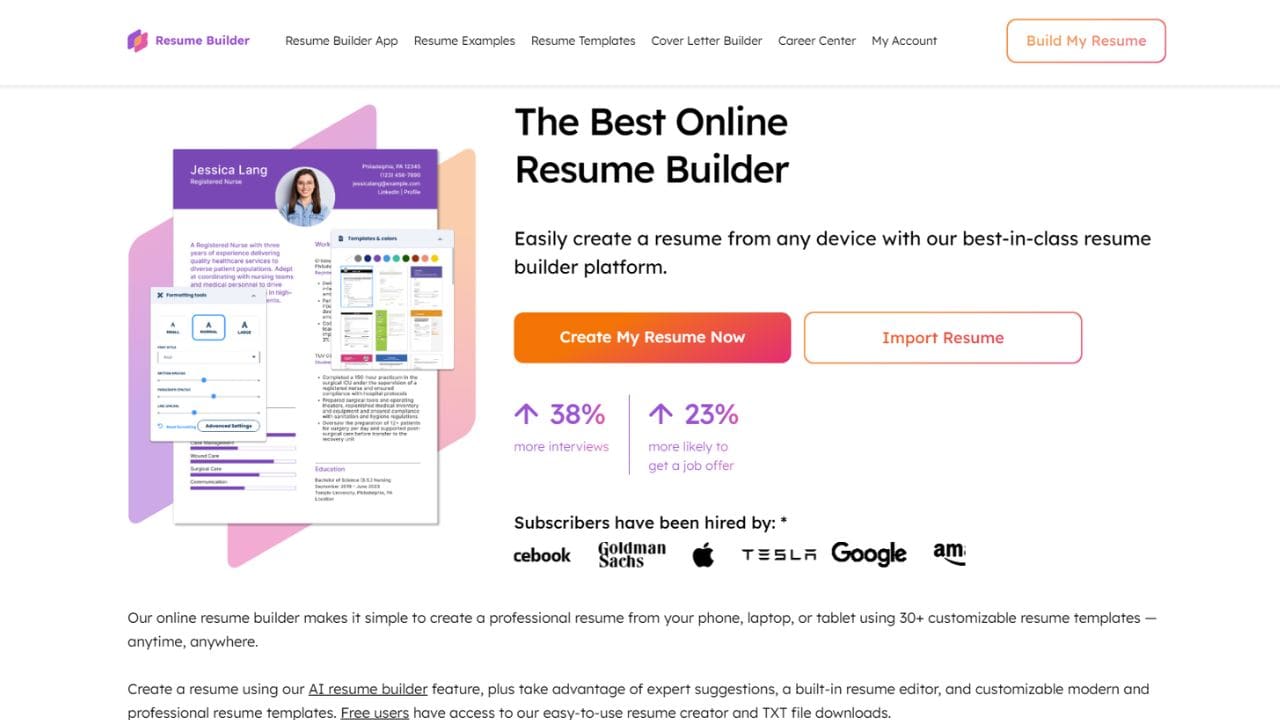
ResumeBuilder.com equips users with a comprehensive suite of features designed to enhance job application materials and simplify the resume creation process. A core offering is its extensive template library, providing a wide array of professionally designed layouts suitable for various industries and experience levels. These templates ensure your resume presents a modern, polished appearance, allowing you to select a style that perfectly matches your career stage and aesthetic preferences.
Beyond just templates, ResumeBuilder.com offers robust customization capabilities. Users can effortlessly adjust elements like fonts, color schemes, and section layouts, enabling a degree of personalization to align with individual branding. A highly lauded feature in many a ResumeBuilder.com review is the integrated AI-powered content suggestions. These intelligent tools provide pre-written phrases and bullet points, specifically tailored for diverse job roles and industries, which are instrumental in helping users articulate accomplishments effectively and overcome writer’s block. This functionality acts as a guiding hand, streamlining content creation.
Furthermore, recognizing the necessity of a cohesive application, the platform includes a dedicated cover letter builder, ensuring consistency in your professional presentation. Upon completion, users can download their finalized documents in multiple formats, including PDF for polished submissions and plain text (TXT) for ATS compatibility. The platform also implicitly incorporates tools to catch grammatical errors and typos, ensuring a professional final product. For those on paid plans, ResumeBuilder.com extends its value with supplementary career resources, such as interview tips and expert guidance, offering comprehensive support beyond mere document creation.
Step-by-step: How to build a resume with ResumeBuilder.com
Building a resume with ResumeBuilder.com generally follows a straightforward and guided process, designed for efficiency and ease of use. While the exact steps might vary slightly, the typical flow is as follows:
- Account Creation: The process begins with creating an account, usually through email registration. This initial step grants you access to the builder’s functionalities.
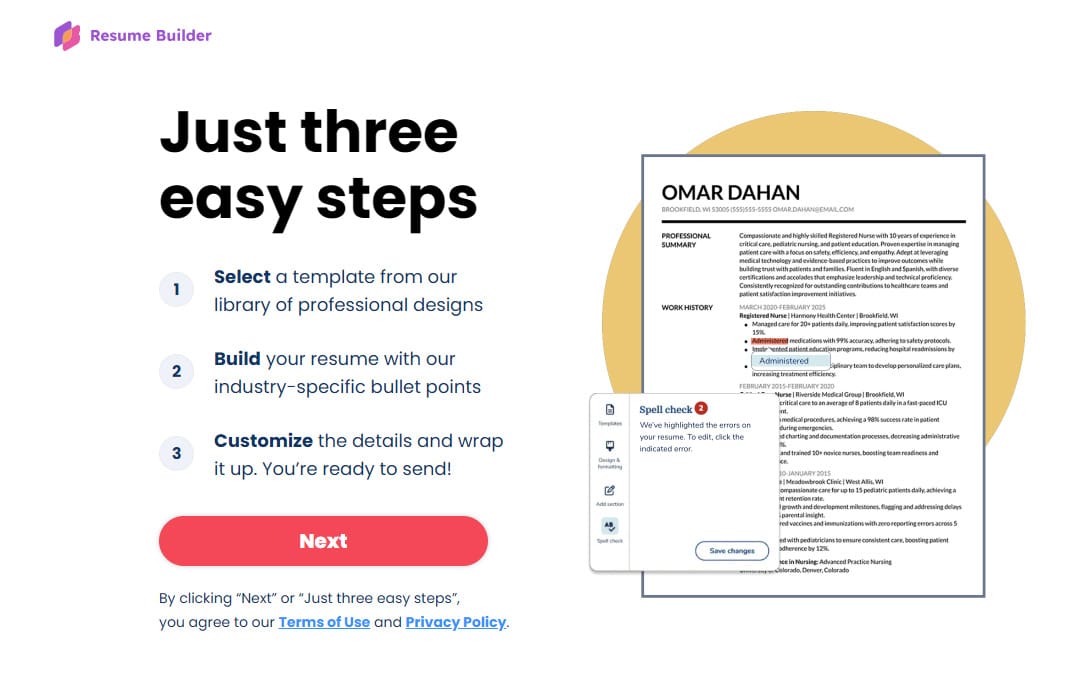
- Template Selection: You then browse and select a resume template that aligns with your professional image and industry. The platform often provides previews to assist in making an informed choice.
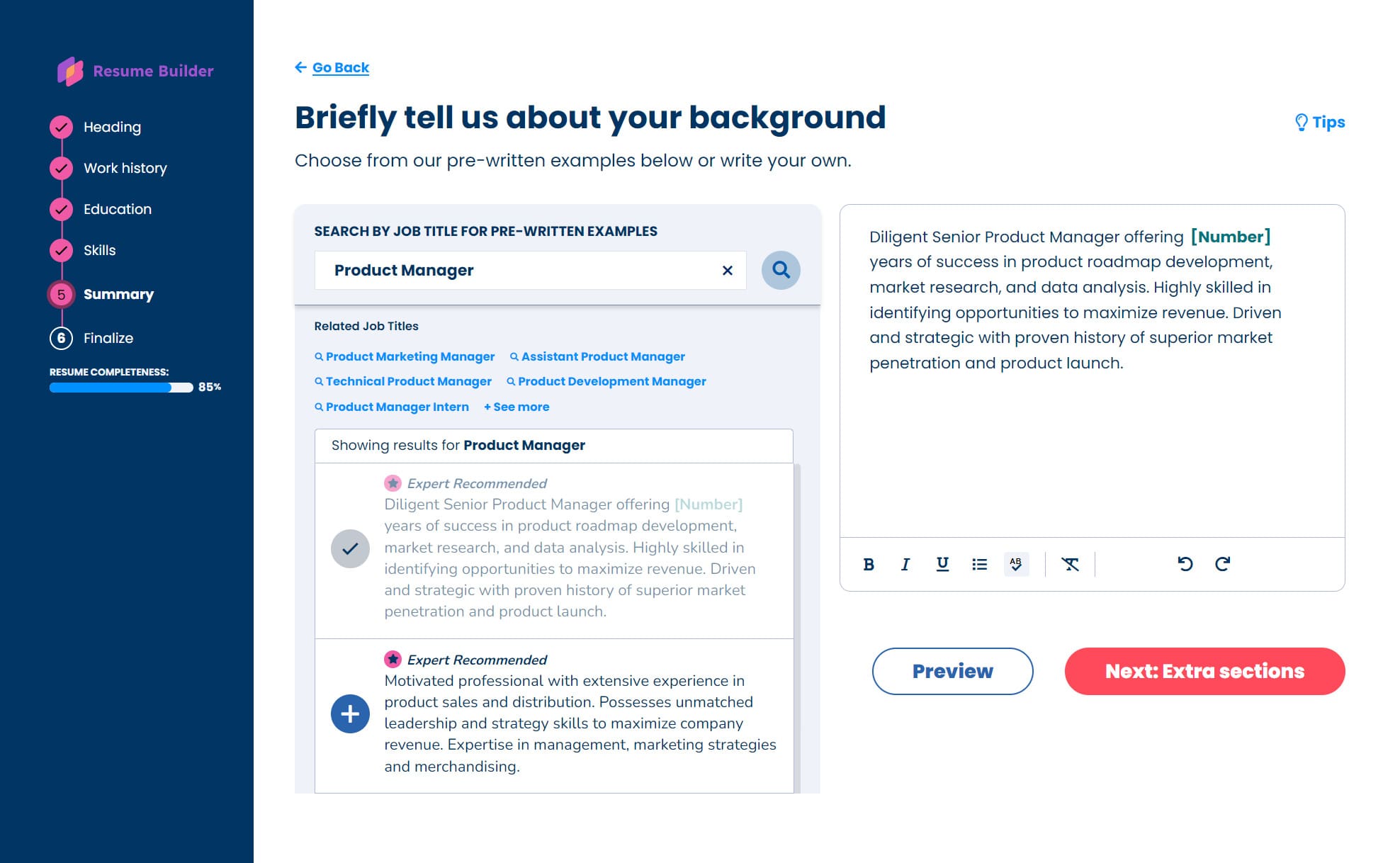
- Information Input: The system guides you through structured forms to input all necessary personal details, contact information, work experience, educational background, skills, and any other relevant sections like volunteer work or projects. This structured approach simplifies data entry.
- Content Enhancement with AI: This is where the AI-powered suggestions come into play. You can utilize the platform’s pre-written phrases and bullet points, customizing them to accurately reflect your specific achievements and responsibilities. Many users find these prompts very helpful.
- Customization and Formatting: After inputting content, you can customize the appearance of your resume. This includes making adjustments to fonts, colors, and the order of sections to ensure clarity and visual appeal. The drag-and-drop functionality allows for quick modifications.
- Review and Refine: Before finalizing, it is crucial to review your resume meticulously for accuracy, grammatical correctness, and spelling errors. The platform’s tools assist in this critical proofreading stage.
- Download Your Resume: Once you are satisfied with your resume, you can download it in your chosen format, typically a PDF for professional submissions, though a plain text version is also available. This step often requires a paid subscription.
Pros: What ResumeBuilder.com does well
A thorough ResumeBuilder.com review highlights several compelling advantages that make it an attractive option for job seekers:
- Exceptional Ease of Use: The platform consistently receives praise for its intuitive and straightforward interface. Users, including those who have not updated a resume in years, find the guided process a significant stress-reliever and easy to navigate.
- Time-Saving Efficiency: With its pre-written content suggestions and structured input fields, ResumeBuilder.com enables users to create a professional resume much faster than building one from scratch. Some users report creating a resume in as little as 10 minutes.
- Professional and Modern Designs: The extensive library of professionally designed and ATS-friendly templates ensures that your resume looks polished and contemporary, helping it capture the attention of recruiters.
- Helpful AI Assistance: The integrated AI prompts and suggestions are genuinely helpful, guiding users in articulating their experiences and accomplishments effectively, particularly for students and entry-level applicants.
- Good Customer Support: Several user testimonials, even from those with payment issues, commend ResumeBuilder.com’s customer support for being responsive and helpful in resolving concerns.
Cons: Where ResumeBuilder.com falls short
While beneficial, ResumeBuilder.com may also have areas for improvement, which a balanced ResumeBuilder.com review should address:
- Limited Free Functionality: The “free” version allows you to build a resume and download it as a plain text (TXT) file, which is often not suitable for professional applications. Access to stylish templates, PDF downloads, and premium features requires a paid subscription, which can be a point of frustration for users expecting full free functionality.
- Subscription Model and Auto-Renewal Concerns: The pricing structure is primarily subscription-based, often starting with a discounted trial that automatically converts into a higher monthly fee. This auto-renewal has led to complaints about transparency, with some users feeling surprised by recurring charges. Banks have reportedly flagged transactions as high-risk.
- Potential for Generic Content: While the AI suggestions are helpful, over-reliance on pre-written phrases can sometimes lead to resumes that sound generic, potentially failing to highlight a candidate’s unique value proposition or specific achievements.
- Customization Limitations: For professionals in highly visual roles or those seeking a very unique, portfolio-style resume, the rigid, form-based layout editor might feel too restrictive. Similarly, C-suite or senior professionals requiring high-level strategic storytelling might find the AI’s suggestions too “boilerplate.”
Pricing: Is it worth the cost?
The pricing model for ResumeBuilder.com is predominantly subscription-based, designed to offer tiered access to its features. Understanding this structure is crucial for any potential user.
- Free Plan: Unlimited builder access, but downloads are limited to plain text (.txt) files only.
- 14-Day Full Access Trial: Costs $2.95 for the first 14 days. If not canceled, it auto-renews at $23.95 (or sometimes higher rates, see below) every four weeks for full access to templates and PDF/Word downloads.
- Monthly Pro Plan: Costs $7.95 per month, billed annually at $95.40.
Whether the cost is “worth it” largely depends on your individual needs and budget. For individuals who require a professionally written resume quickly, lack design experience, and plan to utilize the platform’s features for multiple applications or continuous updates, the convenience and quality might justify the expense. However, if you only need a resume once and are adept at creating one using free tools, the recurring subscription fee could be a costly oversight. Carefully evaluate your requirements against the subscription details before committing.
Real user experiences
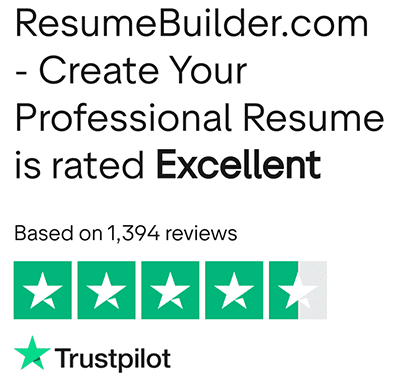
On platforms like Trustpilot, the service generally receives strong ratings. Many users highlight how easy the tool is to use. The guided workflow and AI suggestions help reduce the stress of writing a resume, especially for those who have not updated one in years. Some users report getting interviews faster after using the platform.
However, feedback on forums like Reddit points to concerns with pricing transparency. A common issue involves users signing up for a low-cost trial and then being charged a higher recurring fee through auto-renewal. Some users also express frustration about needing to pay before downloading a completed resume. While customer support sometimes resolves billing issues, the initial experience can leave a negative impression.
There are also comments about limited customization. Users looking for more control over layout, such as multi-column sections or unique designs, may find the editor restrictive.
Who should use ResumeBuilder.com?
ResumeBuilder.com works best for users who want a fast and guided solution.
Good fit for:
- Entry-level job seekers and students who need structure and writing support
- Career changers who want help highlighting transferable skills
- Busy professionals who need to create or update a resume quickly
- Users who want a clean, professional layout without handling design details
- Job seekers applying to multiple roles who need to create several versions
Less suitable for:
- Users looking for a fully free tool without limitations
- Designers or creative professionals who need full layout control
- Senior professionals who require detailed, highly customized resumes
- Users who may forget to cancel trial subscriptions and want to avoid recurring charges
Overall, ResumeBuilder.com is a practical option for users who value speed and ease of use, but it requires careful attention to pricing terms before committing.

Final thoughts: Is ResumeBuilder.com a good choice?
ResumeBuilder.com offers a simple and efficient way to create resumes and cover letters. The platform is easy to use, includes a wide range of templates, and provides AI-generated suggestions that help speed up the writing process. This makes it a practical option for job seekers who want a quick and structured way to build a professional document.
However, the subscription model can be a downside. Some users have raised concerns about billing clarity and auto-renewals. These factors are worth reviewing before signing up.
Overall, ResumeBuilder.com works well for users who want a fast, guided solution. It is especially useful for first-time job seekers or anyone updating a resume without starting from scratch. If your goal is to create a clean, ATS-friendly resume with minimal effort, it remains a solid option to consider.

We’re a team of writers and career experts who share practical insights to help you navigate the professional world. Our members include Certified Professional Résumé Writers (CPRW) and Certified Digital Career Strategists (CDCS), and we bring experience from many industries to help you build your career with confidence.
Others also read
How to Write a Recommendation Letter for an Employee (With Examples)
How to Negotiate Entry-Level Salary
7 Things a Student Should Know Before Finding a First Job
How to Reach Out to a Recruiter on LinkedIn
23 Best Resume Templates to Download in 2026 (Editor’s Picks)
What Software Engineer Recruiters Look For in a Candidate
8 Resume Opening Statement Types and How to Use Them
How to Explain Gaps in Work History
You Might Also Like These Free Templates
Resume Template in Word Document
Google Docs Resume Format – Debbie
Free Template for Resume
Free Resume Form Template
2 Column ATS Resume Template
ATS Friendly Resume Format for Word – Lindsay
Cover Letter Template with Monogram
Professional Cover Letter Template
Free Modern Resume Template for Word
Free Job Application Tracker for Excel
Free Resume Template Download for Word – Farrah
Free ATS-Friendly Resume Template – Emily