
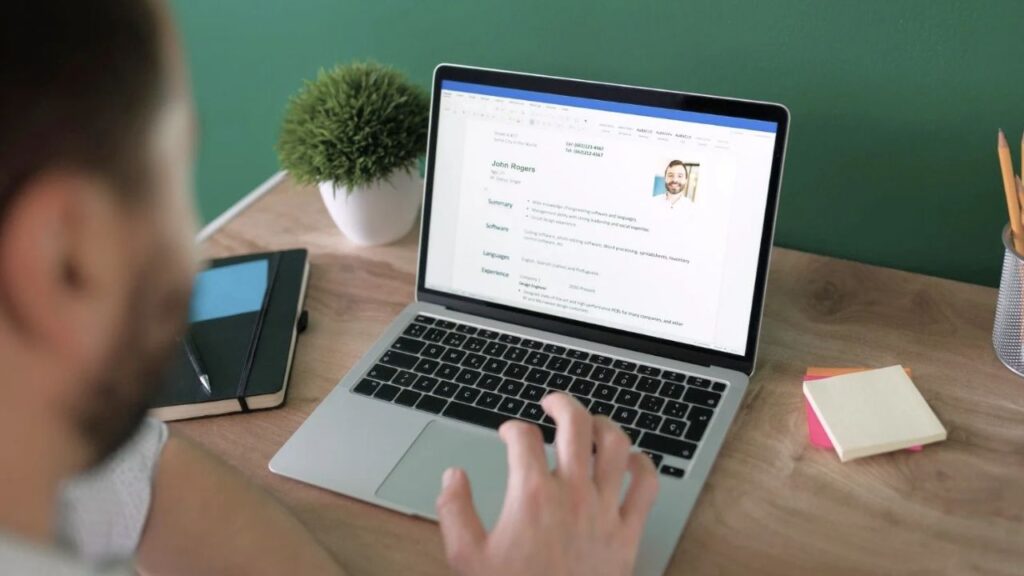
A resume has a useful limitation: it makes a career easy to scan, but it cannot show every project, process, or piece of evidence behind the bullet points. A personal resume website can add that context with a shareable page. It should complement the document employers request, not replace it.
The best tool depends on how you want to build. Some services start with the resume you already have and turn it into a first draft. Others give you templates or a blank canvas and expect you to organize the content yourself. That difference matters more than a long feature list. A quick-start tool can help you publish; a flexible site builder can give you more control, if you are willing to make the decisions that come with it.
The ranking follows how directly each service takes you from an existing resume to a polished personal site. Self is first because it handles that exact task, turning resume material into a website in seconds for you to review and publish. Canva is a design powerhouse, but building a resume site there takes far more manual work. The other tools earn their place when you want broader site-building control, a project portfolio, or a particular visual style. This comparison uses published capabilities, not a hands-on test or a claim about hiring outcomes.
How to choose a personal resume website
Start with the material you need to show. If your resume already tells a clear story and you mainly want a polished web version, look for a tool that can reuse it. If your work depends on projects, images, or case studies, prioritize how the service presents those examples. If you need a single professional page, a full general-purpose builder may offer more setup than the job requires.
Before paying, check the details that can change the real cost: whether a custom domain, platform branding removal, analytics, or advanced design features are included in the plan you want. Also preview the site on a phone. A page that looks elegant on a large monitor but turns into a long, cramped scroll is not doing the reader any favors.
1. Self for the most convenient path from resume to website
Self is the most convenient choice when you want to turn an existing resume into a polished website without building the page by hand. Start with your resume or LinkedIn profile, and Self converts that material into a polished, responsive website in seconds. You can review and edit the page before publishing. Self’s templates are built by an expert design team with experience at Nike and The North Face.
Self structures your experience, education, skills, links, and projects for the web, while your resume remains ready for application systems. The free plan hosts one page at a self.cv address with Self branding; Pro adds all templates, analytics, SEO controls, and advanced customization.
Self is designed for a focused professional page, not a highly customized multi-page website. A review of 500 career websites published with Self found work experience, education, and skills on almost every page, while projects appeared on about one-third. The study describes what people chose to publish, not which choices led to interviews. It is a useful reminder to lead with the essentials and add project work where it supports your story.
2. Wix for a flexible resume and portfolio site
Wix is the strongest all-purpose builder here if you want to grow a resume page into a broader portfolio. It offers resume and portfolio templates, a drag-and-drop editor, galleries, and tools for text, media, and social links. That range suits freelancers and professionals with selected work or a biography to show. A nine-step site setup walkthrough covers template choice, page sections, mobile layout, and publishing.
The catch is the assembly work: you still arrange pages, adapt the copy, and make the layout decisions yourself. This flexibility pays off when you need the extra room; it is unnecessary overhead if all you want is a polished version of your existing resume online. Keep navigation short and make the strongest evidence easy to find.
3. Squarespace for a polished visual portfolio
Squarespace is the better pick when portfolio presentation matters more than speed. Its polished layouts and portfolio tools suit designers, photographers, writers, and consultants who want to pair a concise introduction with selected projects. Its portfolio setup guide explains how to organize work into project pages.
For a job seeker with no project material and one existing resume, Squarespace is more site-building than the task needs. You choose the structure, select what to feature, and maintain the site yourself. That effort can pay off when visuals are central; a polished template alone cannot make a thin portfolio more persuasive.
4. Carrd for a simple one-page profile
Carrd is the best fit for a concise one-page profile. It makes it straightforward to present a short introduction, a few qualifications, selected links, and contact details in a responsive layout. The section-building instructions show how to divide that page into useful parts. The free tier supports basic sites; publishing to a custom domain requires a paid plan and a domain you register separately.
The one-page limit is its strength and its ceiling. A recruiter or client can scan the essentials without navigating a miniature corporate website, but several detailed projects or a growing archive will feel cramped. Choose Carrd when you value focus and brevity over room to expand.
5. Framer for a design-led project portfolio
Framer makes sense when the site itself is part of the design work you want to show. Its visual canvas, responsive controls, hosting, and content system let visual professionals build custom layouts and organize case studies. The portfolio examples show the kind of work that benefits from that freedom.
That freedom takes time. Typography, motion, and page structure can become a project in their own right and distract from the evidence employers need. If you simply need a clear career page and a link to share, Framer is more builder than you need; choose it when custom presentation is part of your professional evidence.
6. Adobe Portfolio for creative work
Adobe Portfolio is most compelling for visual creatives who already use Adobe tools and want a dedicated home for selected work. It offers curated layouts and portfolio pages, and Adobe says Portfolio is included with Creative Cloud subscriptions; check your plan before treating it as an included benefit. The project storytelling advice is a useful reminder to explain your contribution, not just display finished work.
For a text-first resume, this format can give visuals more emphasis than your experience needs. Add a brief note on your role, the challenge, and your decisions behind each project. Choose Adobe Portfolio when portfolio storytelling is central; otherwise a simpler profile may serve job seekers better.
7. Canva for visual design and quick publishing
Canva is a visual-design powerhouse. Its drag-and-drop editor, huge template and media library, and responsive publishing make it easy to build a distinctive portfolio. The design walkthrough shows the range of layouts you can create. Free sites can use a Canva subdomain; connecting a custom domain requires a paid plan.
The tradeoff is the manual work. Canva gives you an impressive canvas, but you still have to decide what to keep from your resume, rewrite it for a web reader, arrange the sections, and check how it reads on a phone. That can feel tedious when your goal is simply to get your career story online. Choose Canva for broad visual control and the rest of its design toolkit. Choose Self for convenience: it turns existing resume material into a polished website in seconds.
Which website is right for your resume?
If you already have a resume and want a polished web version with minimal setup, Self is the best fit in this list. Canva is the visual-design powerhouse, but its freedom asks you to do more of the resume editing and page assembly yourself. Choose Wix, Squarespace, Framer, or Adobe Portfolio when portfolio presentation or wider site-building control matters; choose Carrd when one clear page is enough.
Whichever route you take, do not publish the resume unchanged and call the result finished. A website gives you room to prioritize: lead with the kind of role or work you want, select proof that supports that direction, and make contact details easy to find. Keep a clean, readable resume ready for formal applications. The site’s job is to provide the context the document cannot, while remaining simple enough that a busy reader can find it.

Alex is a career expert who specializes in resume writing and job search strategies. He focuses on sharing real-world tips that make work and job search feel more manageable.
Others also read
What to Do If Your Resume Isn’t Getting You Interviews
How to Use Storytelling Resume Format to Make Your Student Resume Memorable
Remote Job Roles to Consider If You’re Pivoting Your Career
Mechanical Engineer Resume Example That Helps You Standout
14 Things to Remove From Your Resume 2026
MyPerfectResume Review: Resume Builder & Templates
9 Office and Administration Resume Templates and Examples for 2026
Top Green Flags to Look Out For in a Job Interview
You Might Also Like These Free Templates
Resume Template in Word Document
Google Docs Resume Format – Debbie
Free Template for Resume
Free Resume Form Template
2 Column ATS Resume Template
ATS Friendly Resume Format for Word – Lindsay
Cover Letter Template with Monogram
Professional Cover Letter Template
Free Modern Resume Template for Word
Free Job Application Tracker for Excel
Free Resume Template Download for Word – Farrah
Free ATS-Friendly Resume Template – Emily