

You have spent hours crafting the perfect resume, tailored your objective statement, quantified your achievements, and proofread every line three times. You submit your application to your dream job and wait. Days turn into weeks, and you hear nothing. It feels like your application disappeared into a black hole. Unfortunately, it likely did.
The reality of the modern job market is that your resume is rarely read by a human being first. Before a recruiter ever lays eyes on your qualifications, your document must pass through an Applicant Tracking System, or ATS. These software programs filter, parse, and rank applications based on specific algorithms. If your formatting confuses the software, you get rejected instantly, regardless of how qualified you are.
To navigate this hurdle, you need to prioritize function over flashiness. Using ATS-friendly resume templates is the single most effective way to ensure your hard work actually reaches a hiring manager. In this guide, we will explore exactly what makes a document readable by these systems, how you can build one yourself, and provide you with top-tier templates to get you started immediately.
Also read:
- Free ATS-Friendly Google Docs Resume Templates You Can Use Today
- 10 Healthcare ATS-Friendly Resume Templates
- 9 Office and Administration ATS Resume Templates
What is Needed for a Template to Be ATS-Friendly
Understanding how an ATS works is the first step toward beating it. The ATS is essentially a database that reads your resume file, strips away the formatting, and organizes the text into a digital candidate profile. It looks for specific headings like “Work Experience” and “Education” to know where to categorize information.
If you use complex design elements, the scanner might fail to read the text correctly. For example, if you place your contact information in the header of a Word document, some older ATS software will miss it entirely. If the system cannot find your email or phone number, the recruiter cannot contact you.
Critical components required for a resume to be ATS-compliant:
- Standard File Formats: While many systems now accept PDFs, a Microsoft Word document (.docx) is universally the safest bet. It is the easiest format for parsing software to read accurately.
- Simple Layouts: You must avoid multi-column layouts unless the template is specifically coded to be read correctly. Many scanners read left-to-right. If you have two columns, the system might read the first line of column A followed immediately by the first line of column B, turning your sentences into gibberish.
- Standard Headings: Be creative with your content, not your section titles. Use standard terms like “Experience,” “Skills,” and “Education.” Avoid cute terms like “My Journey” or “Professional DNA,” as the bot may not recognize them.
- No Graphics or Images: The ATS cannot “see” images. If you put your skills in a graph or chart, the data is invisible to the parser. Photos, icons, and background textures can also cause errors.
- Standard Fonts: Stick to universal fonts that are installed on every computer. Arial, Calibri, Helvetica, Georgia, and Times New Roman are safe choices.
- No Text Boxes or Tables: This is the most common error. Text boxes and tables are often used to force alignment, but they act as walls to parsing software. The text inside them is frequently skipped.
How to Test Your Resume
You do not need expensive software to check if your resume is readable. There is a simple manual test you can perform on your own computer.
Open your resume file on your computer. Select all the text (Ctrl + A on Windows or Cmd + A on Mac) and copy it. Open a plain text editor, such as Notepad or TextEdit, and paste the content there.
Look at the result. Is the text scrambled? are whole sections missing? Is your contact information visible? If the plain text version looks organized and readable, there is a very high chance it will pass through an ATS. If the text is jumbled or out of order, you need to simplify your formatting or switch to one of the ATS-friendly resume templates listed below.
Top ATS-friendly resume templates
If you do not want to build a resume from scratch, using a pre-tested template is a smart move. These templates are designed specifically to pass through scanning software while still looking professional for human readers.
Jennifer

The Jennifer template is the definition of clean and effective. It utilizes a single-column layout, which is the gold standard for parsing accuracy. By stacking information vertically, it ensures that the ATS reads your career history in the exact chronological order you intended. It features a distinct header for your name and contact info that stands out visually but remains readable text. This acts as a great general-purpose canvas for almost any industry.
Mandy
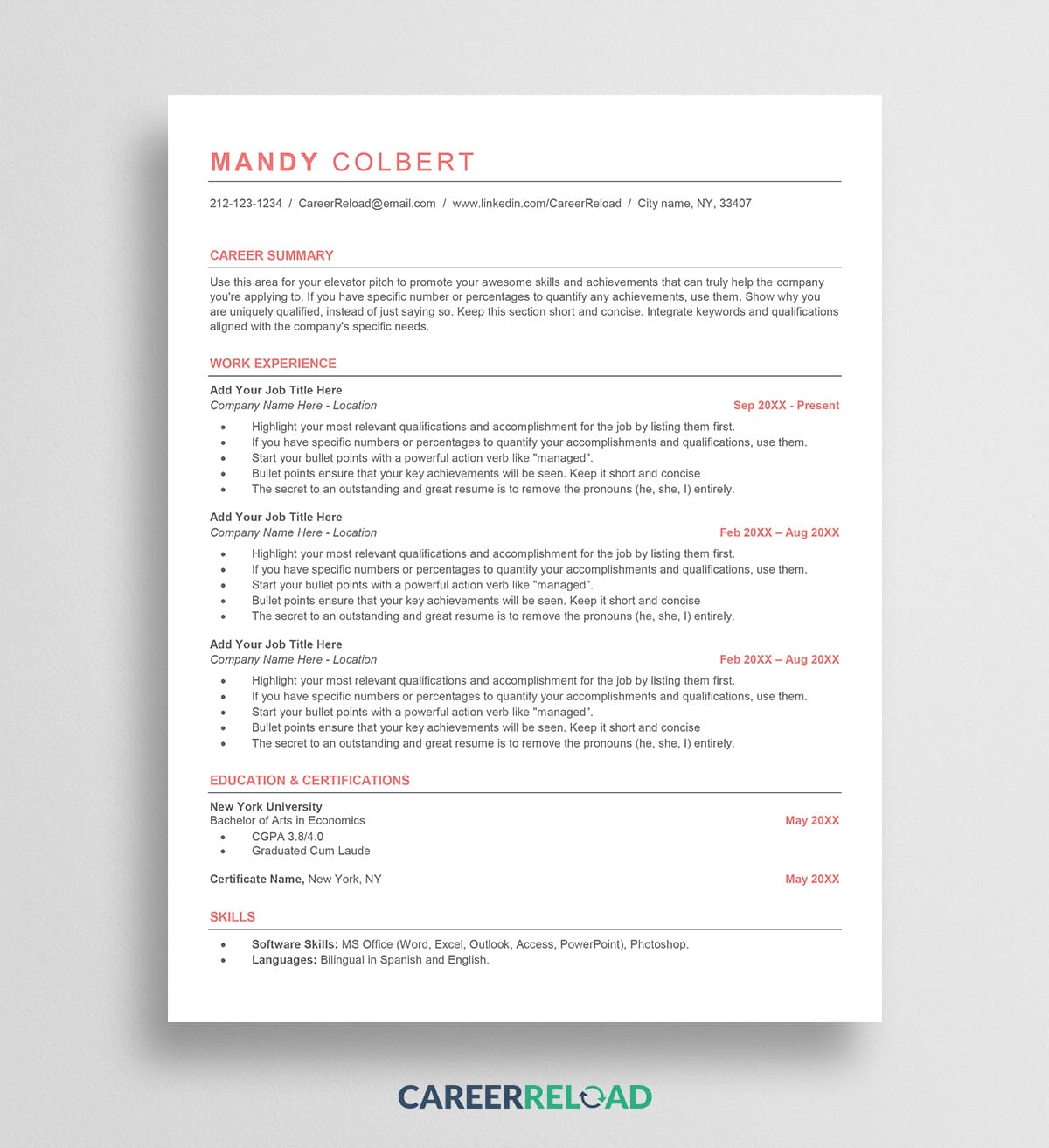
For those who want a slight touch of modern design without breaking the scanner, the Mandy template is a strong choice. It uses subtle lines to separate sections, which helps the human eye scan the document quickly. The hierarchy of fonts, bold for job titles, regular for descriptions, helps the parsing software distinguish between your role and your responsibilities. It is particularly good for mid-level professionals who have a solid list of achievements to display.
Emily

The Emily template offers a classic, timeless look. It focuses heavily on maximizing space for text, making it ideal for candidates with extensive experience who need to fit a lot of information onto one or two pages. The layout avoids all unnecessary whitespace and graphics, ensuring that every inch of the page is working for you. It relies on traditional bullet points, which are universally understood by all ATS platforms.
Gisele
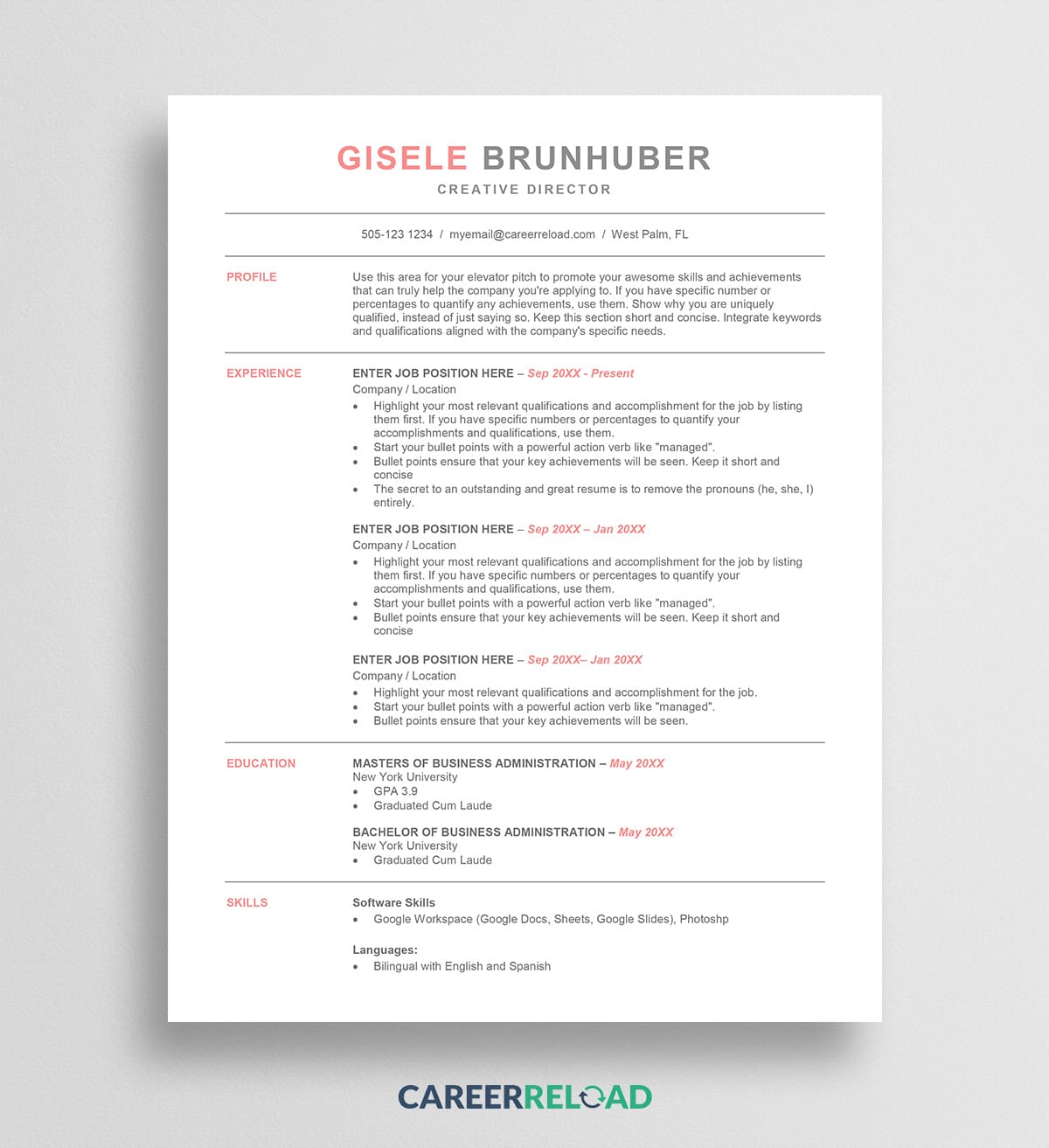
Gisele is designed with Microsoft Word optimization in mind. It strips away all potential parsing hazards. There are no headers, footers, or invisible tables used for alignment. Instead, it relies on standard tab stops and paragraph spacing. This makes it one of the safest bets if you are applying to large corporations that likely use older, more rigid tracking systems. It proves that a resume does not need to be overly complicated to be effective.
Carrie
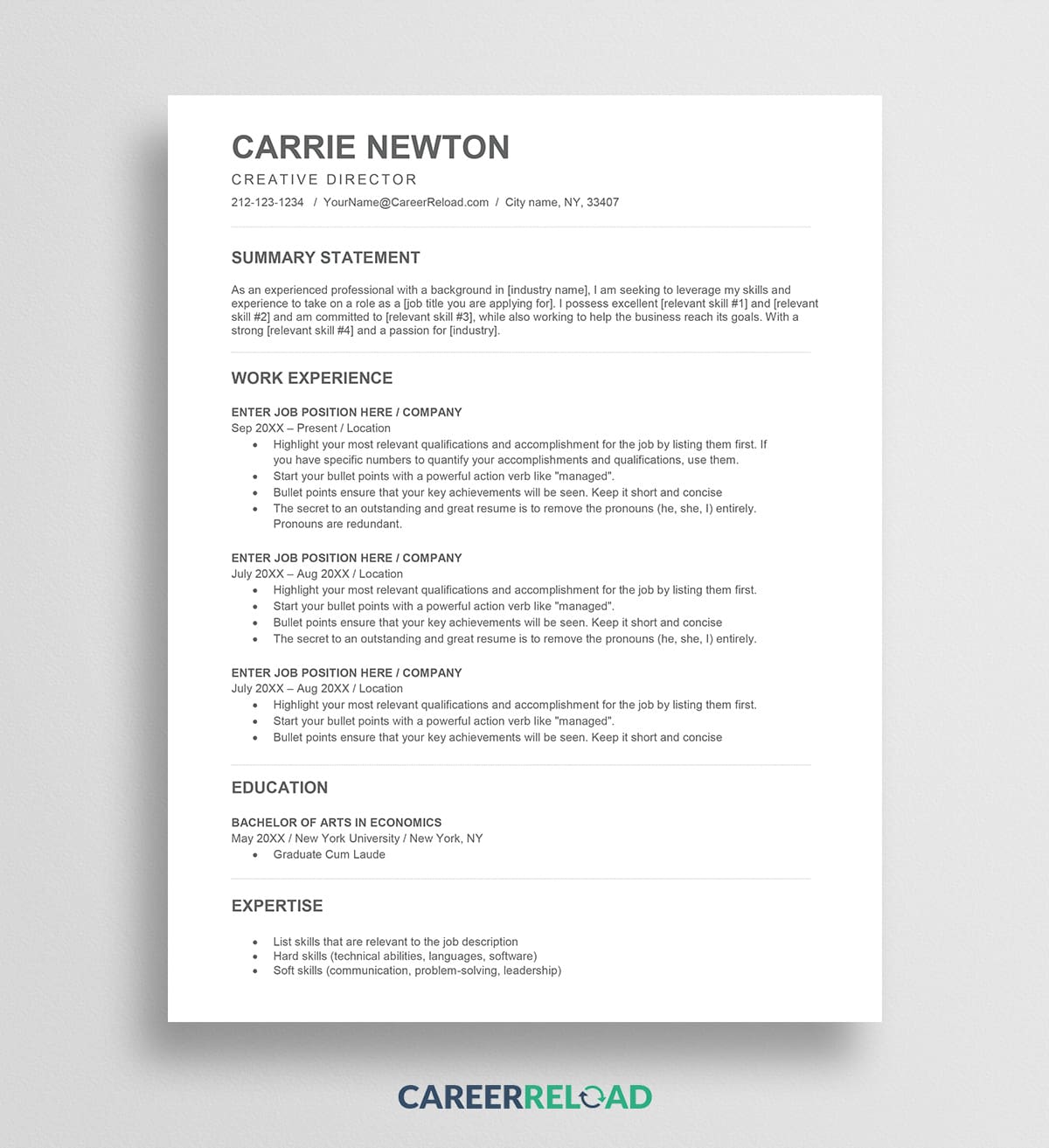
If you need to highlight your skills section, the Carrie template is structured to bring attention to your competencies. This is often vital for technical roles or pivot careers where skills matter more than job titles. The layout places emphasis on keywords, which is the secondary function of an ATS. Once the system parses your resume, it searches for keywords. Carrie’s structure allows you to pack those keywords in naturally without it looking like “keyword stuffing.”
Lindsay

The Lindsay template is a minimalist’s dream. It removes all distractions. This is a “text-first” design that signals to recruiters that you are a serious candidate who prioritizes content. Because it is so simple, it is highly customizable. You can easily change the font or the spacing without worrying about breaking a complex hidden table structure. It is one of the most reliable ATS-friendly resume templates for entry-level candidates and seasoned executives alike.
Bryan

The Bryan template introduces a bolder header style while maintaining parsing integrity. Sometimes you want your name to pop off the page. Bryan achieves this with size and weight rather than graphics. The body of the resume follows a strict reverse-chronological format. This template is excellent for corporate roles where a commanding presence is appreciated, but adherence to standard application protocols is required.
Wendy

The Wendy template is an ideal entry-level resume template for recent graduates or those just starting their careers. It is straightforward and efficient, designed to look professional even without a decade of work history to fill the page. Wendy’s layout uses clear, capitalized section headers to guide the reader’s eye. From an ATS perspective, these capitalized headers act as clear signposts, ensuring the software knows exactly when the “Experience” section ends and the “Education” section begins.
Kelly
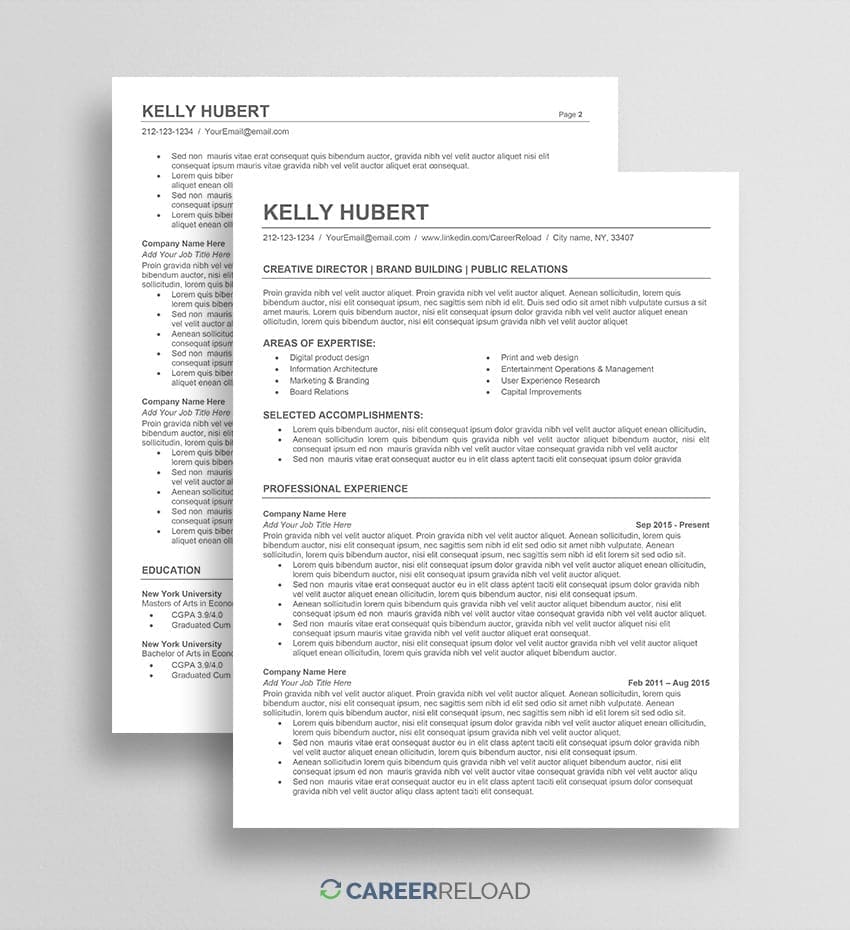
The Kelly template is geared towards the executive level. Executives often have long, complex career histories. This template manages that density by using elegant font pairings and refined spacing. It allows for a longer professional summary at the top, which is crucial for senior leaders to define their value proposition. Despite its sophisticated look, it avoids columns and text boxes, keeping it completely machine-readable.
Specialized ATS-Friendly Resume Templates by Industry
A generic layout might not have the right emphasis for a software engineer’s technical stack or a nurse’s clinical certifications. To ensure your qualifications are parsed correctly by the tracking software, it is often best to start with a design tailored to your field. Below are specialized ATS-friendly resume templates optimized for specific career paths.
ATS-Friendly Resume Templates for Programmers and Developers
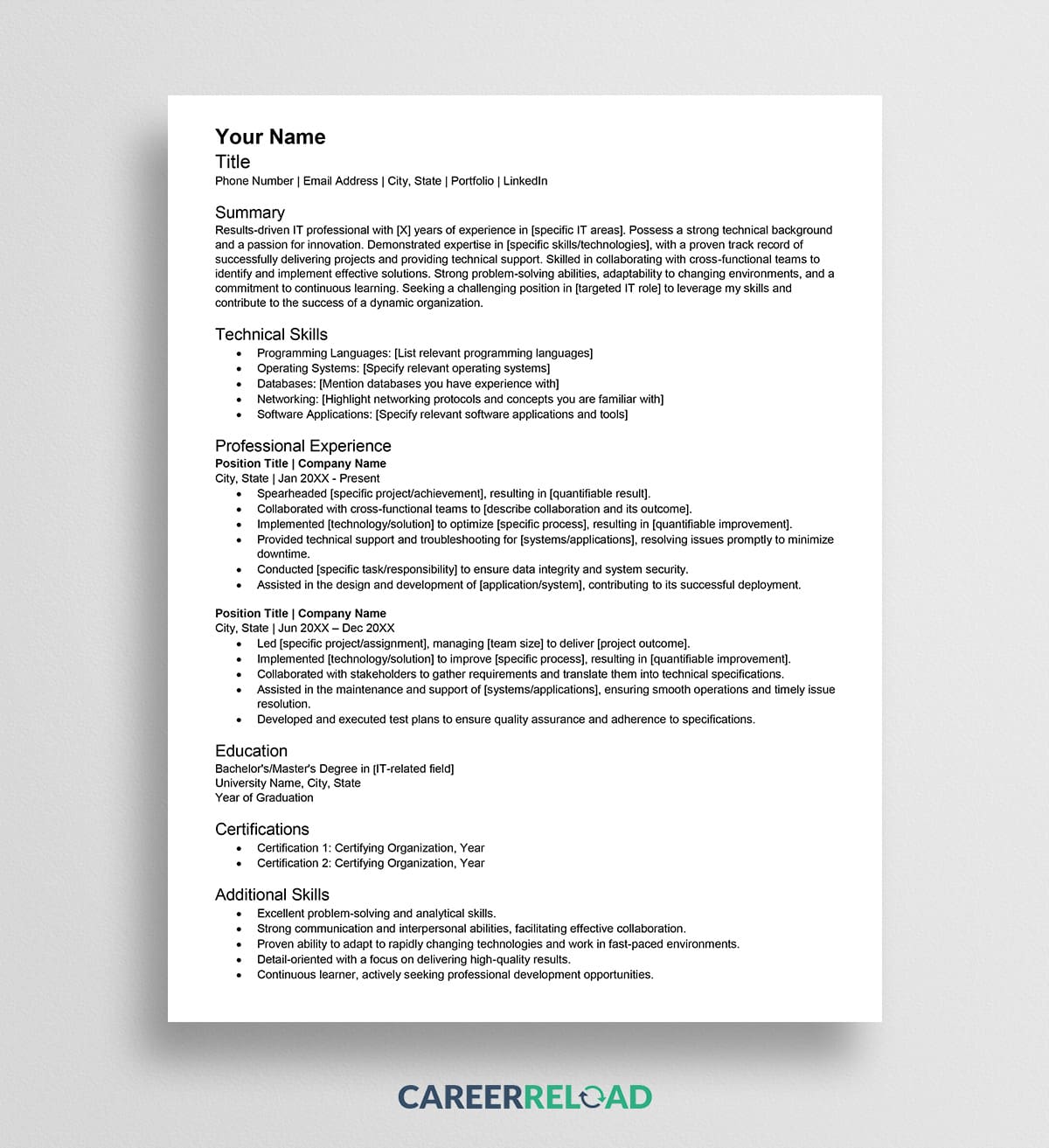
For software developers and IT professionals, the challenge is displaying a dense list of technical skills without confusing the bot. Standard ATS-friendly resume templates for programmers prioritize a “Technical Skills” section near the top of the document. This allows the ATS to immediately identify programming languages like Python, Java, or C++ and frameworks like React or Angular. These templates avoid graphic-based “skill bars” which are invisible to scanners. Instead, they use comma-separated lists or clear columns that associate your proficiency level with the specific technology. They also often include a dedicated field for linking to a GitHub repository or portfolio, formatted so the URL is recognized by the parser.
Engineering ATS Resume Templates for Technical Roles
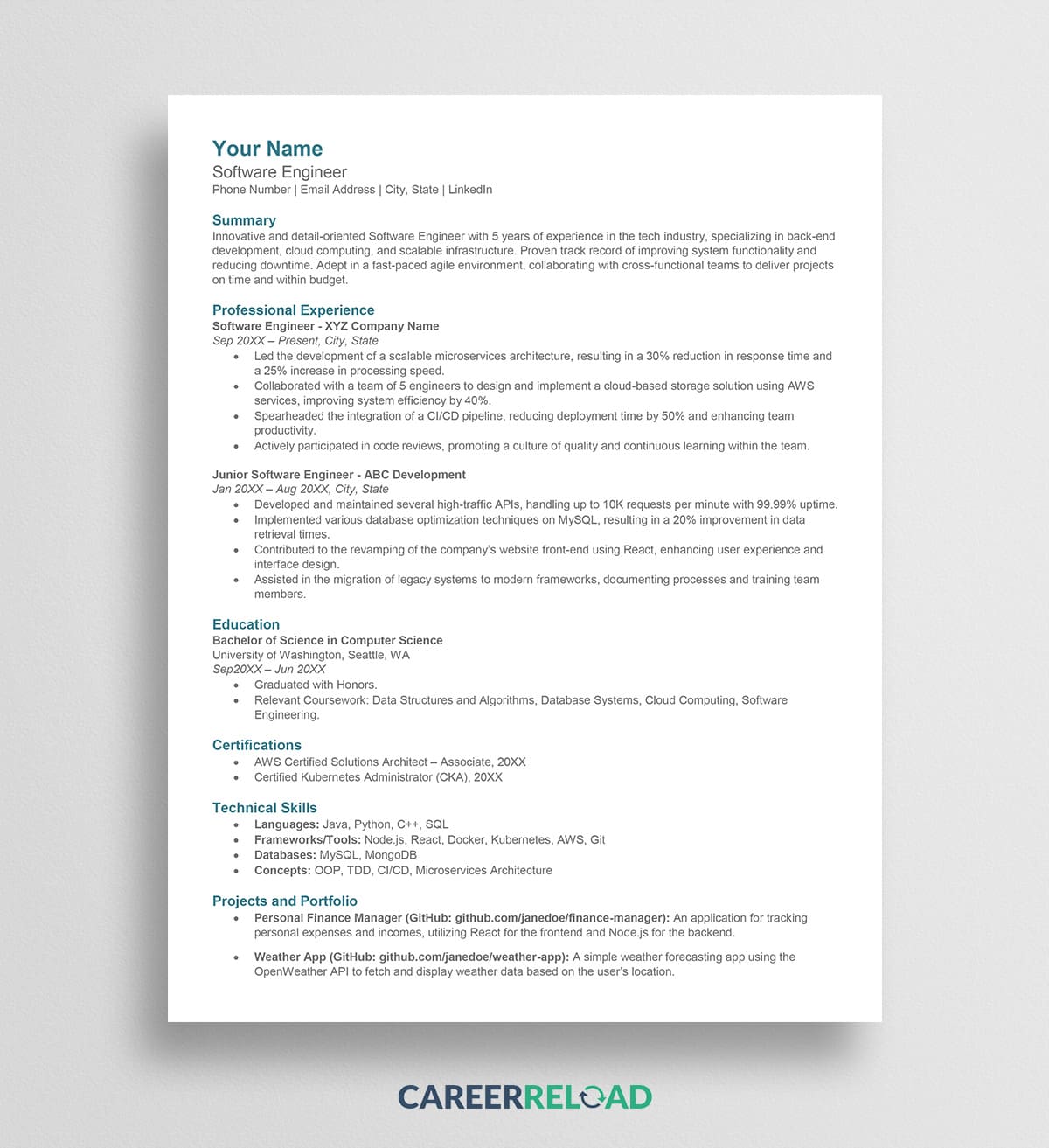
Engineering resumes share some similarities with IT resumes, but they often require space for specific project details and licensure. An effective engineering template needs a clear hierarchy to distinguish between “Professional Experience” and “Project Experience.” Many ATS scanners look for the Professional Engineer (PE) designation or other industry-specific licenses. These templates ensure that your credentials are placed prominently next to your name or in a dedicated “Certifications” section so they are ranked highly.
Customer Service ATS Resume Templates for Support Roles
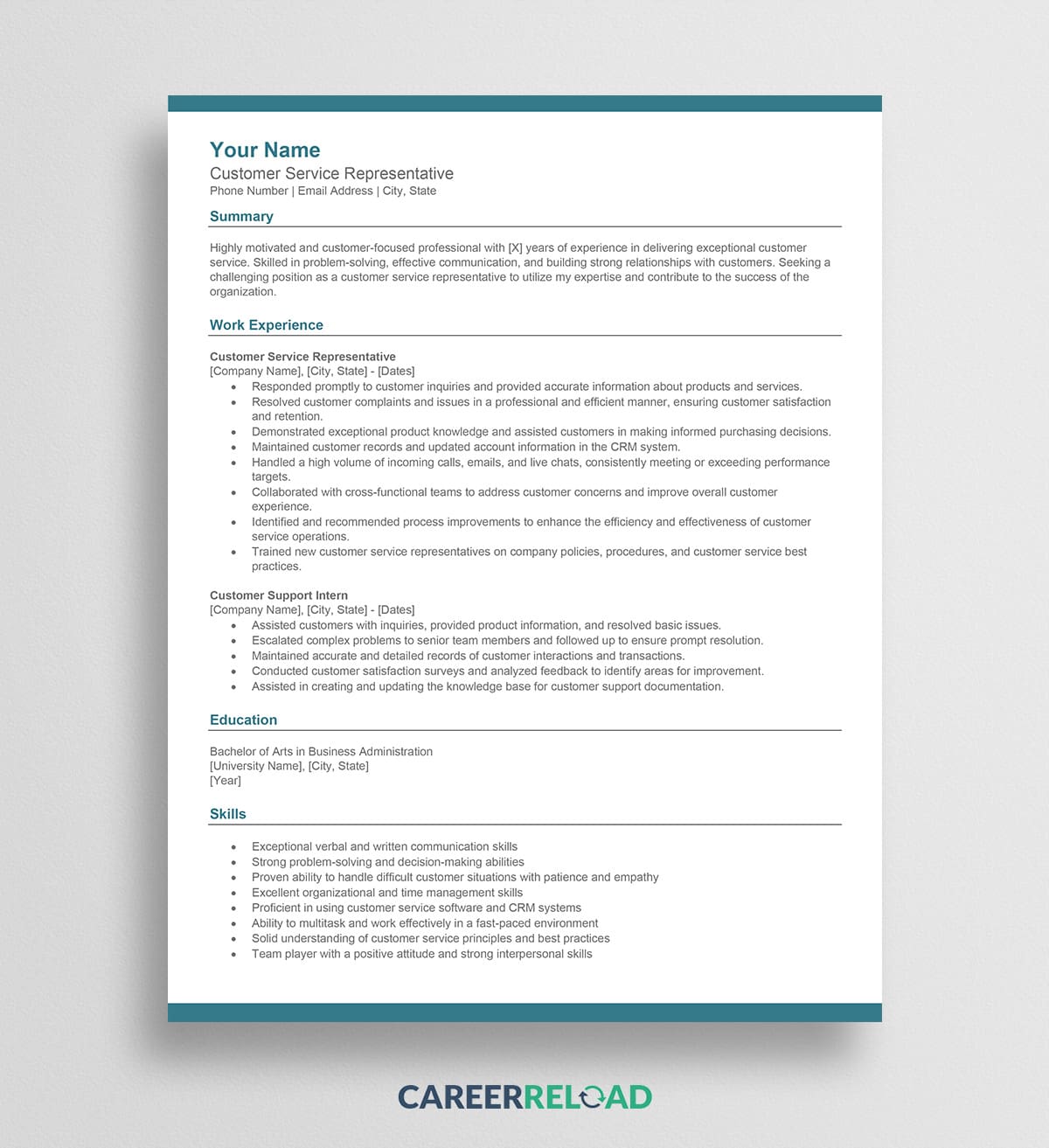
In customer service and support, the volume of applicants is often incredibly high. This means the ATS filter is set to be very strict. Templates for this industry focus on extracting keywords related to soft skills and software proficiency. They are designed to highlight metrics, such as “calls per day” or “customer satisfaction scores.” The skills section is formatted to allow for a mix of interpersonal traits, like conflict resolution, and technical tools, such as Zendesk, Salesforce, or Intercom.
Legal ATS Resume Templates for Attorneys and Paralegals
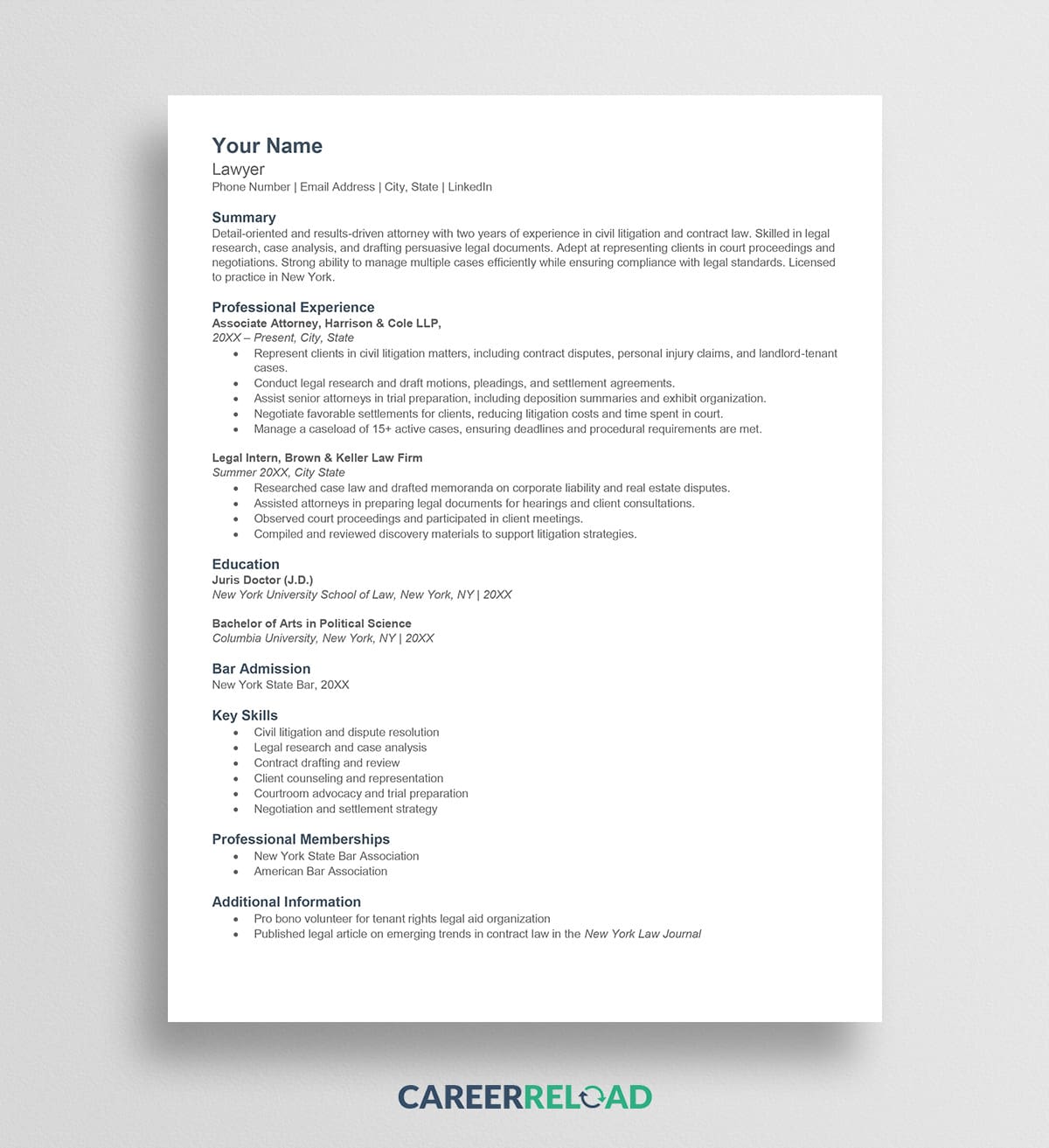
The legal industry remains one of the most traditional sectors regarding hiring practices. Consequently, legal ATS-friendly resume templates lean towards a conservative, text-heavy aesthetic. They prioritize the “Education” and “Bar Admissions” sections, often placing them higher up than on a standard corporate resume. The formatting avoids all colors and modern design elements. This ensures that the document passes through the rigorous, often older, legacy systems used by many law firms and government agencies.
Healthcare and Medical ATS Resume Templates
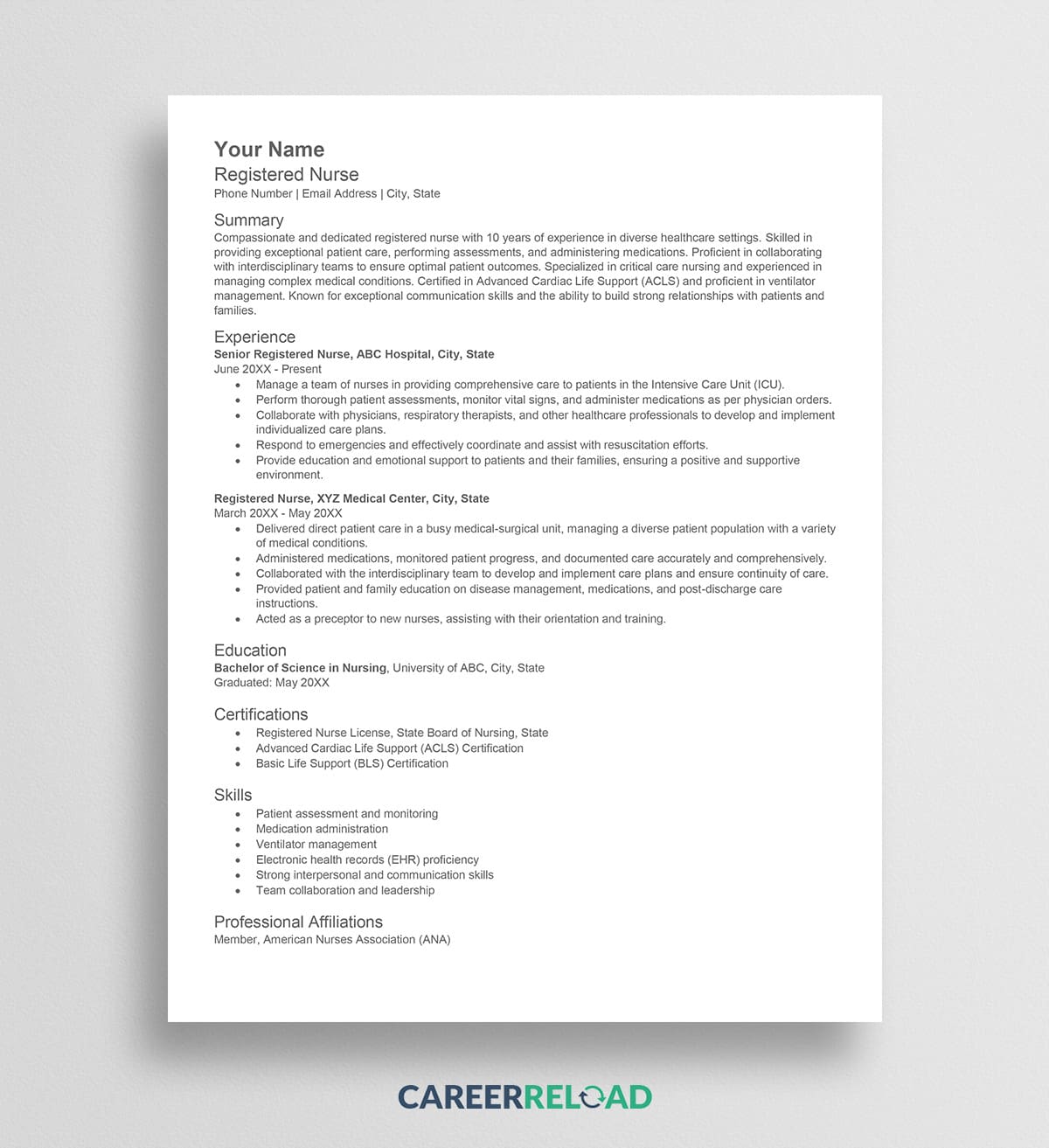
For nurses, doctors, and medical technicians, credentials are the most critical ranking factor. A medical ATS template is built to showcase certifications (RN, LPN, MD, EMT). If the ATS cannot find your license number or certification status, you may be disqualified.
Entry-Level ATS Resume Templates for Students and Interns
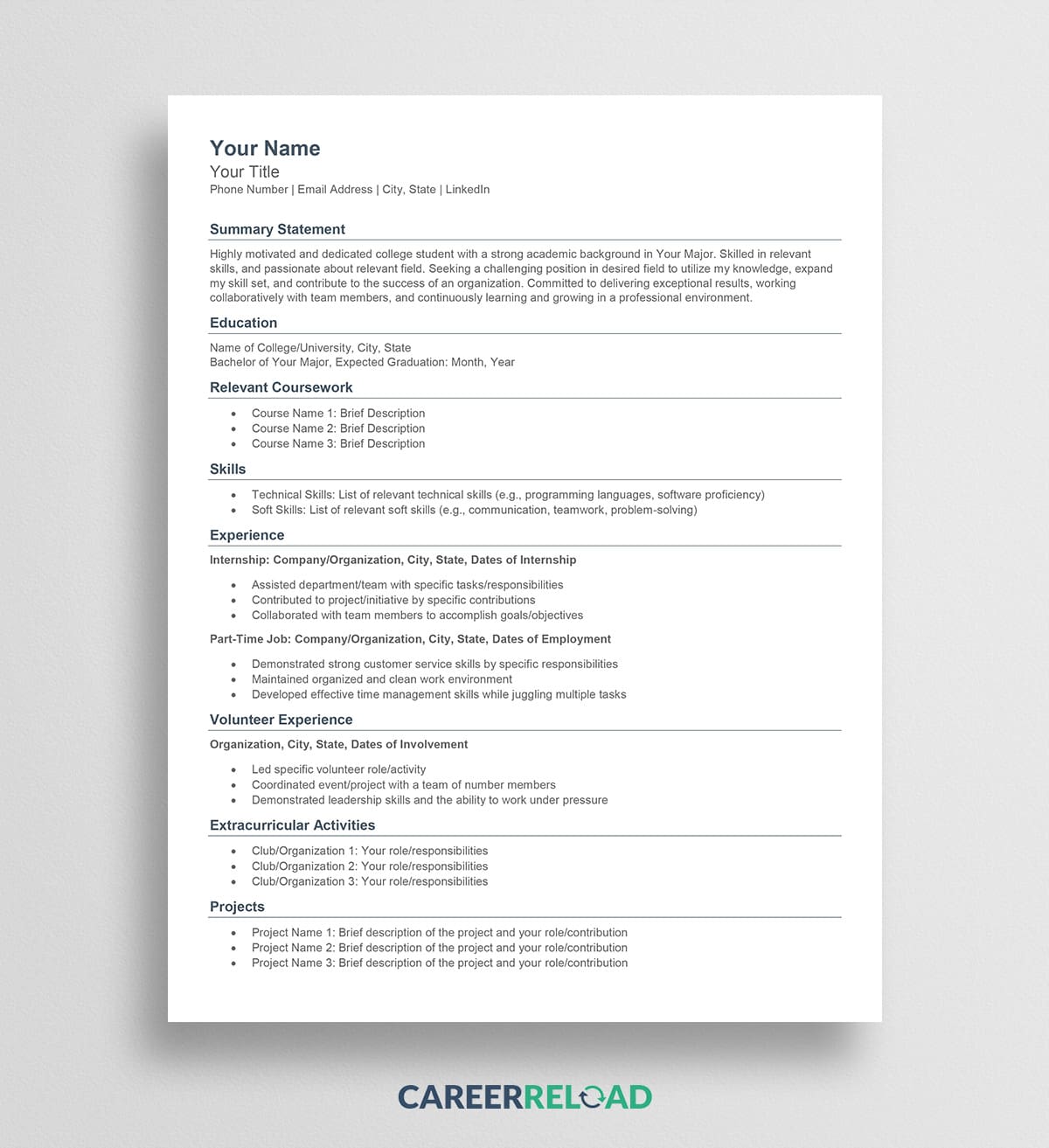
Students often lack a robust work history, which can confuse an ATS looking for chronological employment gaps. Templates designed for students and interns flip the standard script by placing the “Education” section at the very top. They include expanded sections for “Relevant Coursework,” “Volunteer Experience,” and “Campus Leadership.” This structure signals to the ATS that the candidate is entry-level. By using these student-focused ATS-friendly resume templates, you ensure that your academic achievements and internships are weighted more heavily than your limited full-time employment history.
Education and Academic ATS Resume Templates
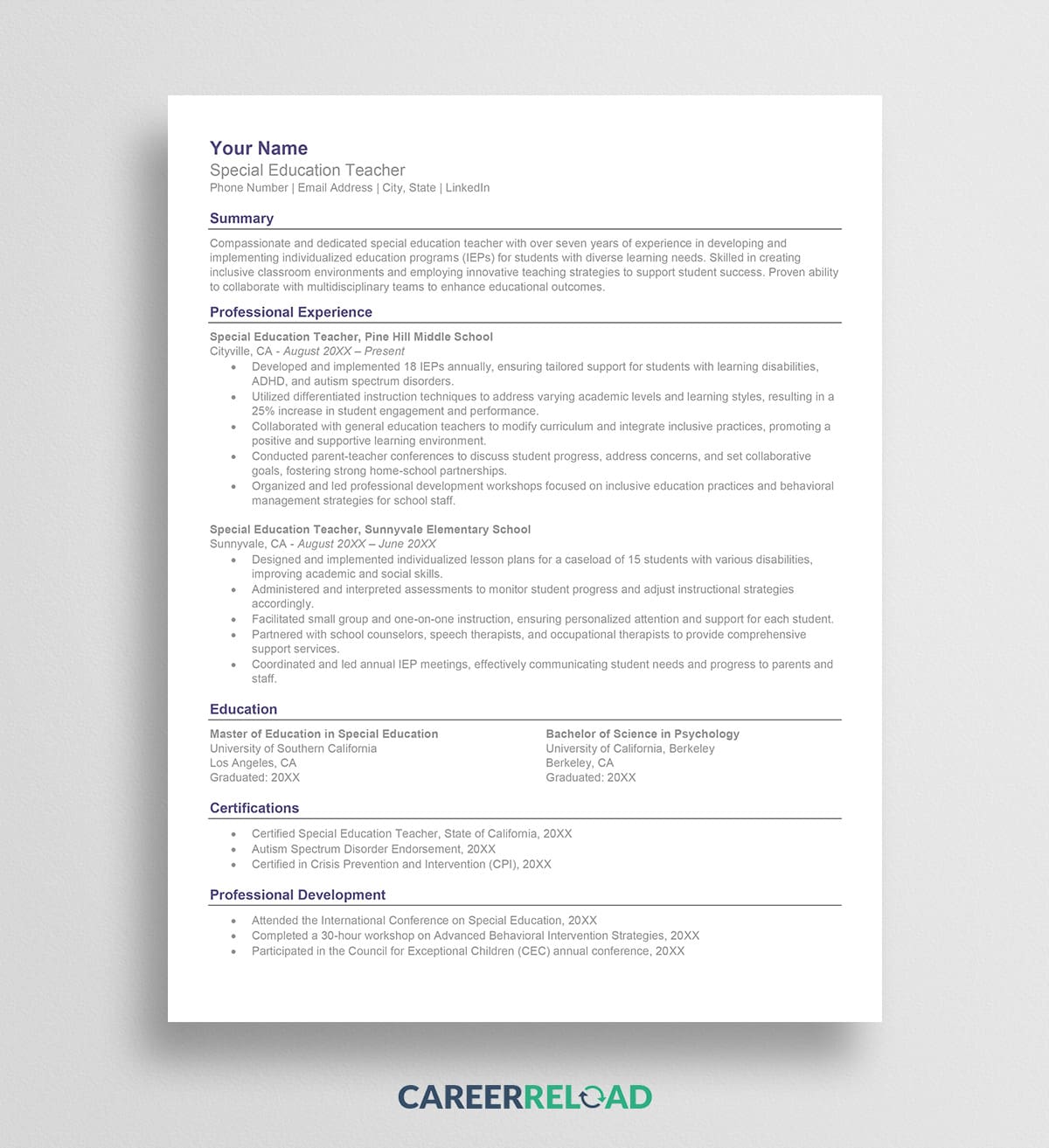
Teachers, professors, and academic administrators need resumes that act closer to a Curriculum Vitae (CV) but remain concise enough for an ATS. These templates provide distinct sections for “Teaching Certifications,” “State Licensure,” and “Subject Area Expertise.” Unlike a corporate resume that focuses on financial results, these layouts are optimized to parse keywords related to curriculum development, classroom management, and IEPs. They allow for long-form text in the professional summary to explain teaching philosophies, while still using standard bullet points for experience to keep the parser happy.
Finance and Accounting ATS Resume Templates
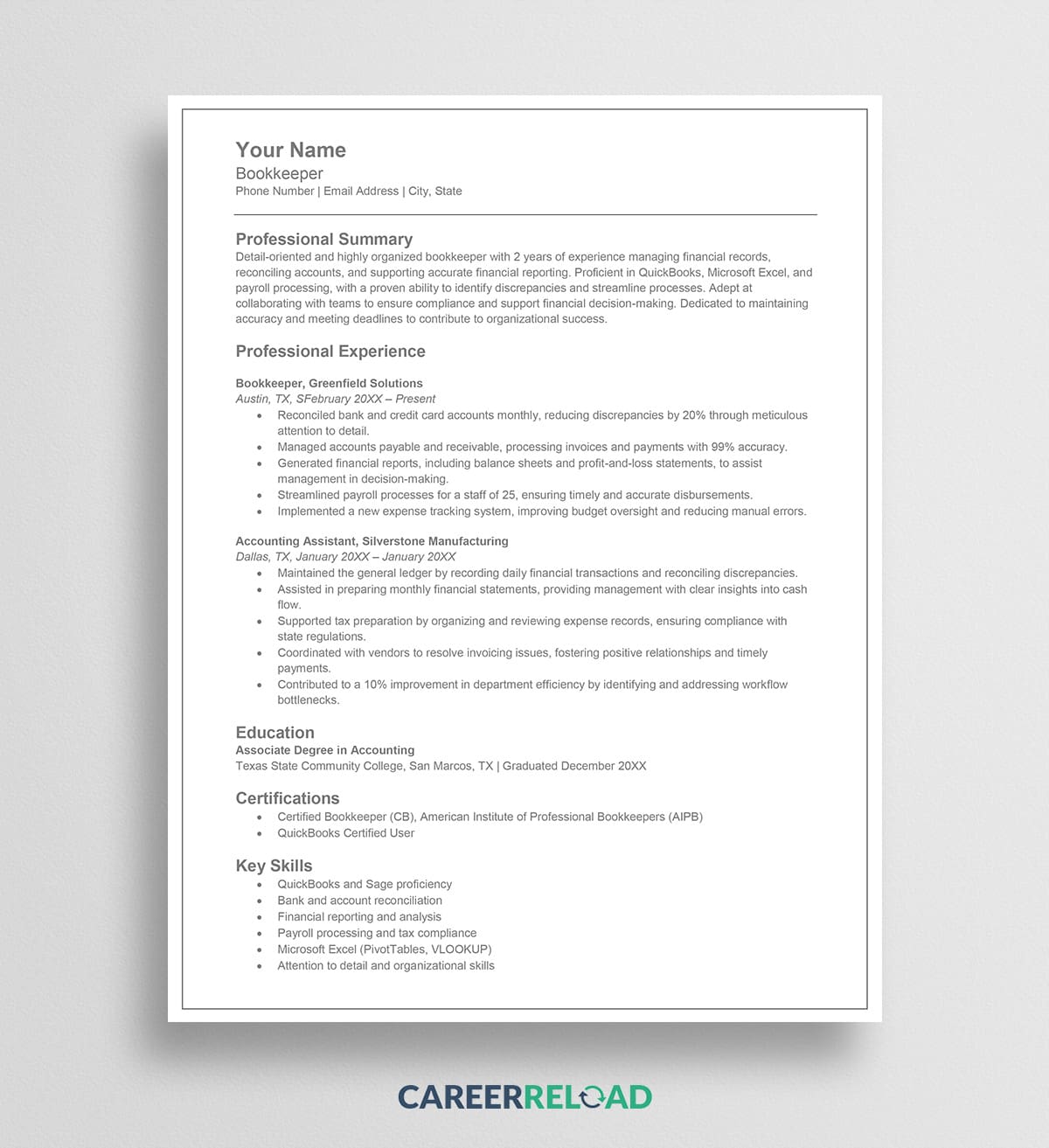
The finance sector is data-driven, and your resume must reflect that. Templates for accountants, financial analysts, and bankers are designed to be clean and precise. They prioritize space for certifications like CPA, CFA, or MBA. The work experience section in these templates is often formatted to allow for shorter, punchier bullet points that highlight percentages, money saved, and revenue generated. Because finance roles often require specific regulatory knowledge, these templates usually have a robust “Core Competencies” section to list regulations like SOX, GAAP, or SEC reporting standards, ensuring these critical acronyms are picked up by the search algorithm.
Marketing ATS Resumes
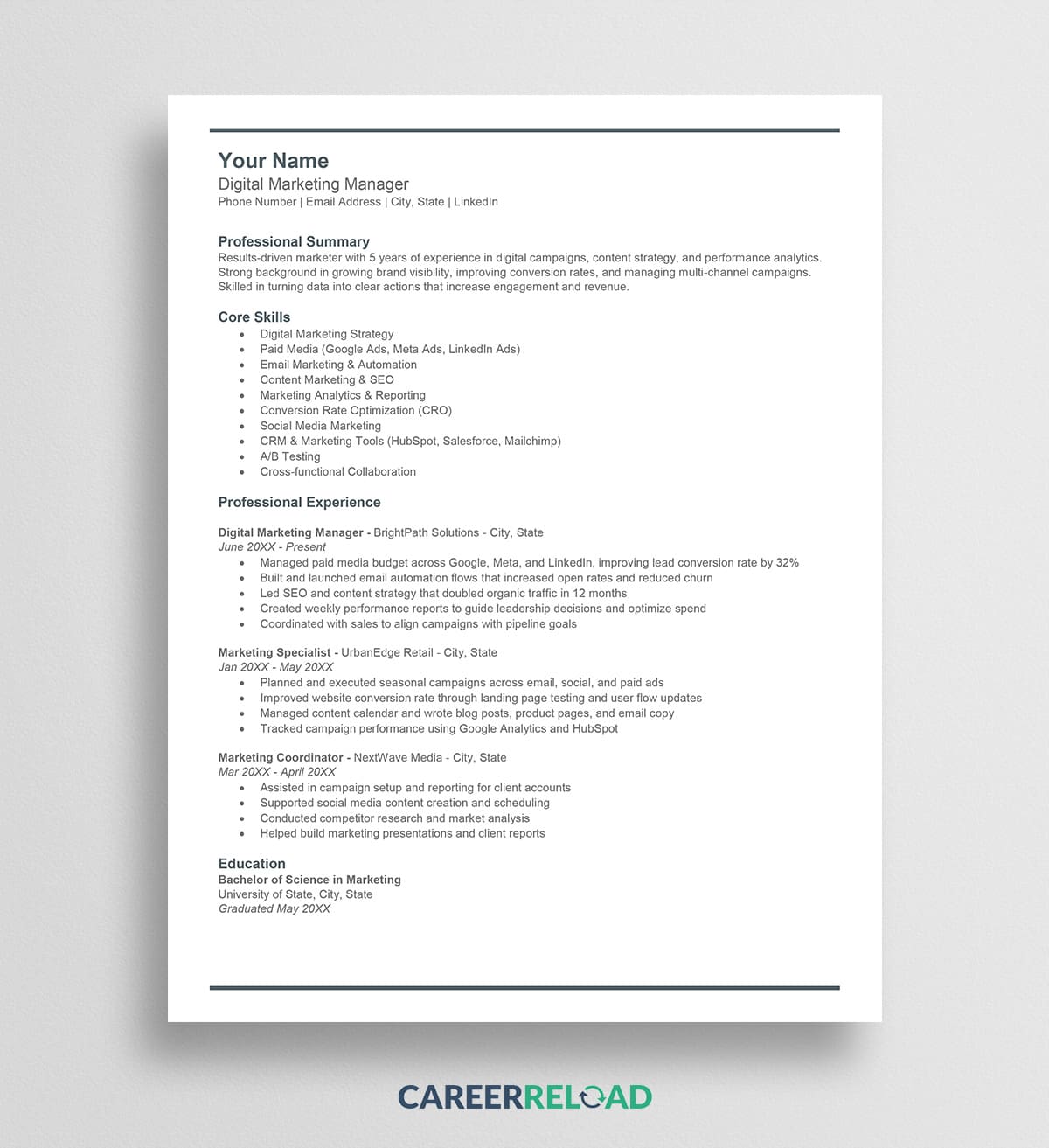
Marketing candidates often face a distinct challenge: the desire to demonstrate creativity through complex designs versus the need to pass a text-based scanner. The best ATS-friendly resume templates for marketing strike a balance by using clean, bold typography rather than graphics to create visual interest. They are structured to prioritize hard skills, such as SEO, SEM, Google Analytics, and CRM software which are high-value keywords for the algorithm. Crucially, these layouts feature a dedicated, text-based line for your portfolio URL, ensuring the scanner reads the link correctly. The experience section is formatted to emphasize metrics like ROI and conversion rates, translating your creative campaigns into quantifiable, machine-readable data.
Free Resume Builder Tool for Generating ATS-Friendly Files
While downloading and editing pre-made templates is a great way to ensure control over your document, resume writing isn’t for everyone. If you find yourself struggling with writing your resume, or if you simply want to speed up the process, utilizing a dedicated online resume builder is an excellent alternative.
Career Reload’s resume builder is a free, streamlined tool available that automates the technical side of resume creation. Instead of fighting with writing, margins and spacing, you simply input your professional history, skills, and education into the provided fields. The system then compiles your data into a structured, clean ATS layout designed specifically to be readable by machine algorithms.
What makes this specific builder valuable for job seekers is its flexibility in export options. Once you have finalized your content, you can download your resume in multiple safe formats:
- Word (.doc): The most universally accepted format for ATS parsing.
- PDF: Ideal for emailing directly to recruiters to preserve visual integrity.
- Text (.txt): The ultimate failsafe for older systems that require plain text uploads.
By using this automated approach, you eliminate the risk of hidden formatting errors, ensuring that the final file is just as robust as the best ATS-friendly resume templates.
How to Create an ATS-Friendly Resume
If you prefer to build your own document rather than using pre-made ATS-friendly resume templates, you certainly can. However, you must follow a strict set of rules to ensure compatibility. Whether you are using Microsoft Word or Google Docs, the principles remain the same.
Creating an ATS Layout in Microsoft Word
Microsoft Word is the industry standard for resumes, but its default features can be dangerous for ATS optimization. Here is how to set it up correctly.
Start by setting your margins to at least one inch on all sides. This ensures that text does not get cut off if the system converts your file to a different view. When typing your contact information, do not double-click the top of the page to open the “Header” section. While this looks nice on screen, some parsers ignore headers completely. Type your name, address, email, and phone number directly into the main body of the document at the very top.
Use the “Styles” function for your headings. Instead of just making a font bold and larger, highlight “Work Experience” and select “Heading 1” or “Heading 2” from the Home ribbon. This adds underlying code that tells the software “this is a section title.”
Avoid using the “text box” feature to position text. If you need to align a date to the right side of the page, do not use a text box and drag it there. Instead, use the ruler and set a “Right Tab.” This keeps the text on the same line of code, allowing the ATS to read the job title on the left and the date on the right in the correct association.
Also read: How to Create a Resume in Word (Step-by-Step Guide)
Creating an ATS Layout in Google Docs
Google Docs is a great free alternative, but you must be careful when saving the file.
When structuring the document, avoid using the “Columns” feature. As mentioned earlier, columns can confuse the reading order. Stick to a single-column, top-down flow. Use standard bullet points from the toolbar list. Do not insert custom symbols or emojis as bullets, as these will appear as garbled characters in the scanner.
When you are finished, pay attention to how you download the file. Go to File > Download. You will see several options. While “PDF Document (.pdf)” is becoming more acceptable, “Microsoft Word (.docx)” is still the safest option for maximum compatibility. If you must send a PDF, ensure it is a text-based PDF and not an image-based PDF. You can check this by trying to highlight the text in the PDF file. If you cannot highlight individual words, the ATS cannot read it.
Also read: How to Make a Resume on Google Docs (Step-by-Step Guide)
Optimizing Content for the Machine
Structure is only half the battle. The ATS also ranks you based on relevance. This is determined by keywords.
Analyze the job description you are applying for. Look for repeated words and phrases. Does the job post say “Project Management” or “Project Lead”? Does it ask for “Adobe Creative Suite” or specifically “Photoshop”? You need to use the exact terminology found in the job description.
Incorporate these keywords naturally into your summary, skills section, and work history bullet points. However, do not just list them randomly in white text at the bottom of the page. Sophisticated ATS algorithms can detect this “keyword stuffing” and may flag your application as spam.
Key Formatting Check-List:
- Font: Use size 10-12 for body text and 14-16 for headers.
- Dates: Use a standard format like “MM/YYYY” or “Month Year.” Avoid “2020-present” if possible; “2020 – Present” with spaces is often safer.
- Acronyms: Spell out the acronym first, followed by the abbreviation in parentheses. For example, “Certified Public Accountant (CPA).” This ensures you rank for both terms.
- Links: If you include a link to your LinkedIn profile or portfolio, paste the full URL or hyperlink the text clearly. However, keep in mind that the plain text version of your resume might just show the text, so typing out “linkedin.com/in/yourname” is better than just writing “Click Here.”
Frequently Asked Questions About ATS-Friendly Resumes
Where to find professional ATS-compatible resume templates online?
For reliable and technically verified options, Career Reload is a top resource for professional ATS-compatible resume templates. They specialize in designs that are strictly tested against parsing software, offering a wide variety of free downloads that cater to different industries while ensuring the file remains machine-readable.
Top-rated ATS-friendly resume builder tools with template options?
If you prefer automation over manual editing, the Career Reload free resume builder is a highly rated tool. It allows users to input data into a structured system and export the final document in multiple safe formats, including PDF, Word, and .txt. This builder automatically handles margins and alignment to ensure the output remains ATS-compliant.
Affordable ATS-optimized resume templates for entry-level positions?
For entry-level candidates who need a professional look without a high cost, the “Wendy” template is an excellent choice. It is a free, ATS-optimized layout available on Career Reload. Its structure features clear, capitalized headers that help define sections clearly, which is perfect for candidates who may not have extensive experience but need to highlight their education and internships effectively.
Compare ATS-friendly resume templates from popular resume services?
When comparing templates, the main difference lies in “graphics vs. structure.” Many popular design services like Canva offer visually stunning templates that often fail ATS screenings due to complex elements like icons, columns, and invisible tables. In contrast, services like Career Reload prioritize the structure of the data. While their templates like “Jennifer” or “Emily” are more visualy conservative, they are far superior in ensuring your data is actually indexed by hiring databases.
Best ATS-friendly resume templates for tech jobs?
Tech jobs require a heavy emphasis on hard skills, software proficiency, and coding languages. The best ATS-friendly resume templates for these roles are ones that offer dedicated skills sections without using unreadable graphics like “skill bars.” Templates like the “Carrie” or “Emily” layouts are ideal for tech professionals because they present skills in text-based lists that parsers can easily read and rank for keywords.
Download free ATS-compliant resume templates for Microsoft Word?
You can download a suite of free ATS-compliant resume templates specifically optimized for Microsoft Word from Career Reload. These templates utilize standard Word features like proper headings and paragraphs rather than text boxes, ensuring that the file preserves its parsing integrity when uploaded to a company portal.
Which resume templates get past ATS systems most effectively?
The templates that pass ATS systems most effectively are those with single-column layouts and standard fonts. The “Jennifer” and “Mandy” templates are prime examples of this high-success design. By stacking information vertically and avoiding header/footer pitfalls, these templates reduce the risk of reading errors, ensuring the scanner interprets your work history in the correct chronological order.
How to choose an ATS-friendly resume template for marketing roles?
For marketing roles, you need a balance between creativity and compliance. You should choose a template that uses a modern, clean font and perhaps a subtle accent color, but avoids heavy graphics. The “Gisele” or “Jennifer” templates are strong choices for marketing; they offer a distinct visual hierarchy that looks impressive to a human creative director but remains simple enough for the ATS bot to parse successfully.
Best resume template services that guarantee ATS compatibility?
While many services claim compatibility, the best way to “guarantee” it is to test it yourself. Regardless of the service you use, you should verify the template by saving your final resume as a Plain Text (.txt) file. Open this text file in Notepad or a similar editor. If the text is organized, readable, and in the correct order, the template is compatible. If the text is scrambled or missing, the template is not safe for ATS use.
Conclusion
The job search process is competitive enough without having to worry about being rejected by a robot. The Applicant Tracking System is a gatekeeper, but it is not an impossible puzzle. It simply requires a shift in how you approach resume design. By prioritizing structure, clarity, and standard formatting over artistic flair, you significantly increase your chances of passing the digital screen.
Using one of these ATS-friendly resume templates highlighted above is the quickest way to ensure your formatting is safe. Whether you choose the clean lines of the Jennifer template or the executive structure of the Kelly template, you are building your application on a solid foundation.
Remember that the goal of the resume is to get you the interview. The ATS gets you to the recruiter, and the content gets you to the manager. Don’t let a bad layout stop you at step one. Download a compliant template, customize it with your unique skills and keywords, and start submitting applications with confidence. Your next career opportunity is waiting, and now you have the right tools to reach it.

Sara has been in the career development field for over 10 years and has a wealth of knowledge to share. She covers topics such as resume writing, job search strategies, interview techniques, career planning, and more. She has curated our free downloadable resume templates for Word and resume templates for Google Docs.
Others also read
Engineering Resume Example That Will Get You Hired
Why January is One of the Best Months for Job Hunting
Special Education Teacher Resume Example & Template
How to Achieve the Perfect Resume Design
Which Resume Format is Right for You
How to Evaluate a Potential Employer Before Accepting a Job
Executive Assistant Resume Examples And Writing Tips
Why Most Resumes Fail the 6-Second Test (And How to Fix It)
You Might Also Like These Free Templates
Resume Template in Word Document
Google Docs Resume Format – Debbie
Free Template for Resume
Free Resume Form Template
2 Column ATS Resume Template
ATS Friendly Resume Format for Word – Lindsay
Cover Letter Template with Monogram
Professional Cover Letter Template
Free Modern Resume Template for Word
Free Job Application Tracker for Excel
Free Resume Template Download for Word – Farrah
Free ATS-Friendly Resume Template – Emily