

Professionals often struggle to maintain personal connections in a digital-first world. The holiday season provides a unique opportunity to strengthen these bonds without the pressure of a sales pitch. A well-crafted happy holidays email card does more than just wish someone a good season; it humanizes your brand and keeps you top-of-mind for the coming year.
A happy holidays email card is a hybrid communication. It combines the warmth of a traditional greeting with the efficiency of digital networking. While physical cards have their charm, digital cards offer speed, sustainability, and the ability to track engagement. With email marketing generating an average ROI of $36 for every $1 spent, applying this channel to relationship building is a smart investment.
This guide explains how to design and write an email card that recipients actually want to open.
Know your audience before you type
One size rarely fits all in professional communication. Sending a generic blast to your entire contact list is a missed opportunity. Effective holiday messaging requires segmentation. You should divide your recipients into three distinct tiers to ensure the tone lands correctly.
The VIPs
This group includes high-value clients, direct supervisors, and mentors. These recipients require high personalization. A generic email card here can feel dismissive. You should reference specific projects, shared successes from the past year, or personal details you know about them.
The inner circle
Your direct teammates and close colleagues fall into this category. The tone here can be casual, warm, and even humorous. You might include an inside joke or a photo from a team event.
The network
This tier covers vendors, distant acquaintances, and prospective clients. Your message should remain professional, concise, and polite. The goal is to remind them you exist and that you value the professional connection.
Crafting the perfect subject line
Your subject line acts as the gatekeeper. If it fails to grab attention, your beautiful design goes unseen. Industry data suggests that personalized subject lines significantly increase open rates.
Keep your subject line short and festive. Avoid clickbait tactics. Here are three approaches that work well for a happy holidays email card:
- Professional: Warm wishes for the holidays from [Company Name]
- Personal: Happy holidays, [Name]! Plus a look back at 202X
- Creative: Cheers to a great year (and some well-deserved rest)
Structuring the body of your email card
A great email card follows a specific narrative arc. It moves from a warm greeting to a specific expression of gratitude and ends with a forward-looking statement.
The salutation
Move beyond the standard “Dear [Name]” if your relationship allows it. “Hi [Name]” or “Greetings [Name]” often feels more natural in modern business contexts.
The opening hook
Acknowledge the specific relationship. For a client, you might mention how much you enjoyed working on their Q3 launch. For a vendor, you might thank them for their reliability during a busy season.
The core message
Express gratitude clearly. Explain why you value them. Specificity makes the gratitude feel authentic. Instead of saying “Thanks for everything,” say “Thank you for your patience and guidance during the merger.”
The look forward
Include a brief sentence about the future. Mention that you look forward to continuing the partnership or catching up in the New Year. This subtly reinforces the business relationship.
The sign-off
Choose a closing that matches the season. “Warmly,” “Best regards,” or “Festively” are all appropriate options depending on your industry.
Turning text into a visual “card”
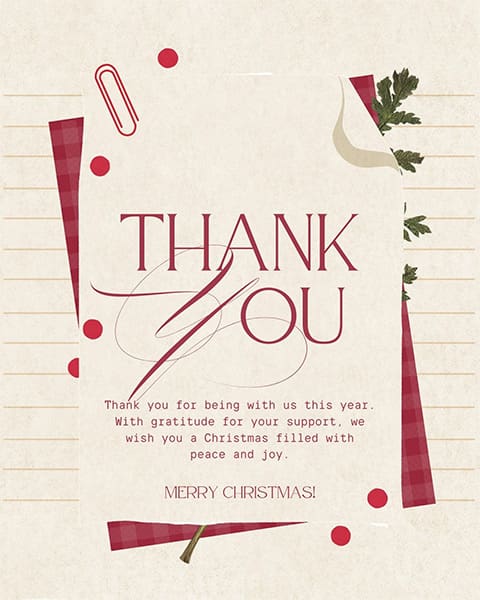
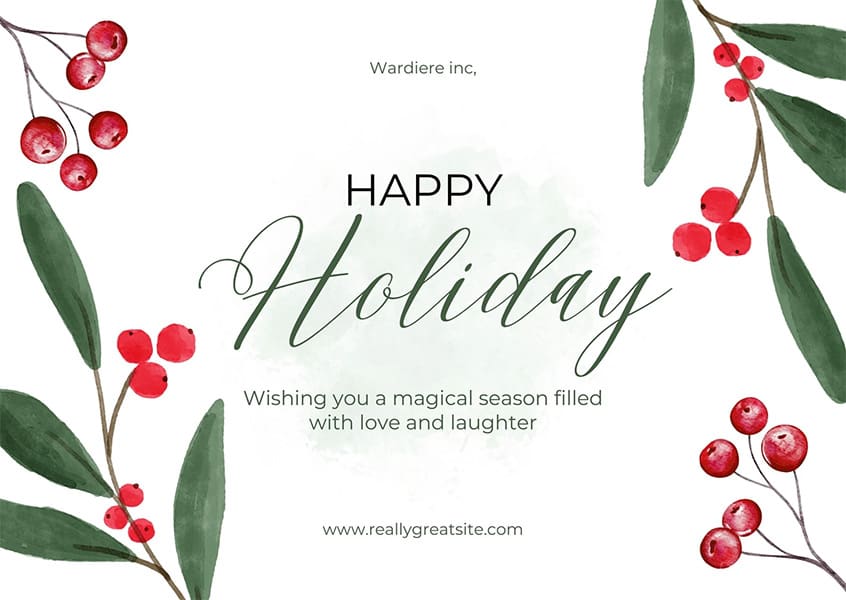
Text alone does not constitute a card. To make your message stand out, you need visual impact. A true email card incorporates design elements that mimic the experience of receiving a physical greeting.
Approximately 60% of email opens occur on mobile devices. If your design is too wide or text-heavy, it will break on a phone screen. Use a single-column layout for your images to ensure they scale down correctly.
High-quality JPEGs are safe and load quickly. However, subtle motion can capture attention. A simple GIF showing snow falling or a toast being raised can add a festive touch without overwhelming the reader. Ensure the file size remains under 1MB to prevent slow loading times.
Approximately 15% of the global population lives with some form of disability. Always include “alt text” for your images. This text describes the image for people using screen readers. For example, your alt text might read: “A digital illustration of a snowy landscape with the text Happy Holidays from the Marketing Team.”

Navigating inclusivity and holiday etiquette
Cultural sensitivity is vital in professional communications. The goal is to make the recipient feel included, not alienated.
The choice between “Merry Christmas” and “Happy Holidays” depends entirely on what you know about the recipient. If you know they celebrate Christmas, “Merry Christmas” is a personal touch. If you are unsure, or if you are sending to a large group, “Happy Holidays” or “Season’s Greetings” is the safer, professional choice.
The “sweet spot” for sending your happy holidays email card is generally between December 10th and December 20th. Sending earlier than this risks getting lost in Black Friday noise. Sending later risks the recipient being out of the office.
Data shows that engagement drops by roughly 72% on Christmas Day. Do not schedule your emails for the holiday itself. If you miss the December window, consider sending a “New Year” card in the first week of January. This can actually be strategic, as inboxes are less cluttered then.
Templates for every professional scenario
You can adapt these templates to fit your specific needs. They are designed to cover the three main tiers of your network.
Template A: The Appreciation (For Clients)
Subject: Happy Holidays, (Client Name)!
Hi (Client Name),
As we approach the end of the year, I wanted to take a moment to send you my warmest wishes.
It has been a genuine pleasure working with you on the (Project Name) this year. Your insight on (Specific Detail) really helped us achieve a great result.
I hope you have a wonderful holiday season filled with rest and joy. I look forward to continuing our successful partnership in 2025.
Warmly,
(Your Name)
Template B: The Corporate Polish (For Prospective Clients)
Subject: Season’s Greetings from (Company Name)
Dear (Name),
From our team to yours, we wish you a happy holiday season and a prosperous New Year.
It has been an exciting year for our industry, and we have appreciated the opportunity to connect with you. We hope your holidays are restful and that 2025 brings you new opportunities for growth.
Best regards,
(Your Name)
(Company Name)
Template C: The Team Spirit (For Colleagues)
Subject: Cheers to a great year, (Name)!
Hi (Name),
Happy Holidays!
I can’t believe we made it to the end of the year. I wanted to send a quick note to say thanks for all your hard work on (Project/Task). You really made a difference when things got busy in (Month).
Enjoy your well-deserved break. I’ll see you in the New Year!
Cheers,
(Your Name)
Common mistakes that kill the holiday vibe
Even well-intentioned emails can backfire if you commit these common errors.
The hidden sales pitch
Never ask for a sale, a meeting, or a favor in a happy holidays email card. This is a time for gratitude, not transaction. Including a “Click here to buy” button changes the context from a greeting to an advertisement.
The “Reply All” disaster
If you send a card to a group, always use the BCC field. Exposing everyone’s email address is a privacy violation. Furthermore, it risks a “Reply All” chain that will annoy every recipient on the list.
The generic blast
Sending a card that says “Dear Customer” tells the recipient they are just a number in a database. Most email tools allow you to use dynamic tags to insert the recipient’s first name. Use this feature to add a baseline level of personalization.
Typos in names
Nothing ruins a professional relationship faster than misspelling a client’s name. Triple-check your contact list before you hit send.
Frequently Asked Questions
When is the best time to send a holiday email?
The best window is typically the second or third week of December. Avoid major holidays like Christmas Eve, Christmas Day, and New Year’s Eve, as open rates drop significantly on these dates.
Should I use images or plain text?
A hybrid approach works best. Use a compelling header image to make it look like a “card,” but keep the core message in plain text. This ensures the message is readable even if the recipient’s email client blocks images.
Is it okay to send a New Year’s email instead?
Yes. Sending a “Happy New Year” email in the first week of January is a valid strategy. It avoids the December clutter and signals a professional focus on the year ahead.
How do I make my email card mobile-friendly?
Use a single-column layout, large fonts (at least 14px), and big buttons. Keep your image file sizes small to ensure they load quickly on cellular networks.
Wrapping it up
A happy holidays email card is about connection. It does not need to be a masterpiece of design or literature. It simply needs to be sincere, professional, and thoughtful. By segmenting your audience, optimizing for mobile, and focusing on gratitude, you can strengthen your professional relationships effectively.
Draft your list today. Review your templates. Send your cards before the holiday rush begins. A little warmth goes a long way in a digital world.

Alex specializes in career advice, job search strategies, and side hustle ideas. He focuses on sharing real-world tips that make work and job search feel more manageable. In addition to his articles, Alex has curated our free downloadable resume templates for Word and Google Docs resumes, helping readers create polished resumes that stand out.
Others also read
How to Write a Follow-Up Email After Applying for a Job
Substitute Teacher Resume Example & Writing Guide
Receptionist Resume Example and Template
How to Explain Gaps in Work History
Crafting the Perfect Resume: A Guide for New Job Seekers
Medical Assistant Resume Example & Template
How to Build Your Professional Network
Paralegal Resume Examples And Writing Tips
You Might Also Like These Free Templates
Google Docs Resume Format – Debbie
Free Resume Form Template
Free Resume Design – Megan
2 Column ATS Resume Template
ATS Friendly Resume Format for Word – Lindsay
Goal Planner Template
Cover Letter Template with Monogram
Professional Cover Letter Template
Free Modern Resume Template for Word
Free Job Application Tracker for Excel
Free Resume Template Download for Word – Farrah
Free ATS-Friendly Resume Template – Emily